Public release for our Jorm Form Automation service
descriptionStandardIntroducing Jorm Form Automation our Chrome extension and Indexing service which provides functionality for automating web form filling.
Continue readingIntroducing Jorm Form Automation our Chrome extension and Indexing service which provides functionality for automating web form filling.
Continue readingJorm is simple to setup; once you have subscribed a welcome pack is sent to the account owner.
Use the portal to generate/revoke authentication tokens; submit new urls and check account and indexing details.
New URL submissions would work as follows:
Admins/developers can use the form data tools to preview form data, visual and generate URL templates and additionally submit urls for indexing.
To use the Jorm Form Automation service you require an active subscription also known as a license; a license is required for each user (human or AI) that intends to utilise the Chrome extension.
The Jorm administrator portal is used to several operations:
URLs are submitted for indexing to generate form data maps; once a URL has been submitted it is actively monitored for changes and any detected changes are periodically synced to extension users under your account.
Along with ability to generate authentication tokens; you can also copy provisioning URLs. These provisioning URLs can be sent to your organisations Jorm extension users. Who can use the link to activate the and store the authentication token.
The provisioning link works by intercepting https://oddineers.co.uk/provisioning?token<some-token> you must already have the extension installed and enabled to allow provisioning to work.
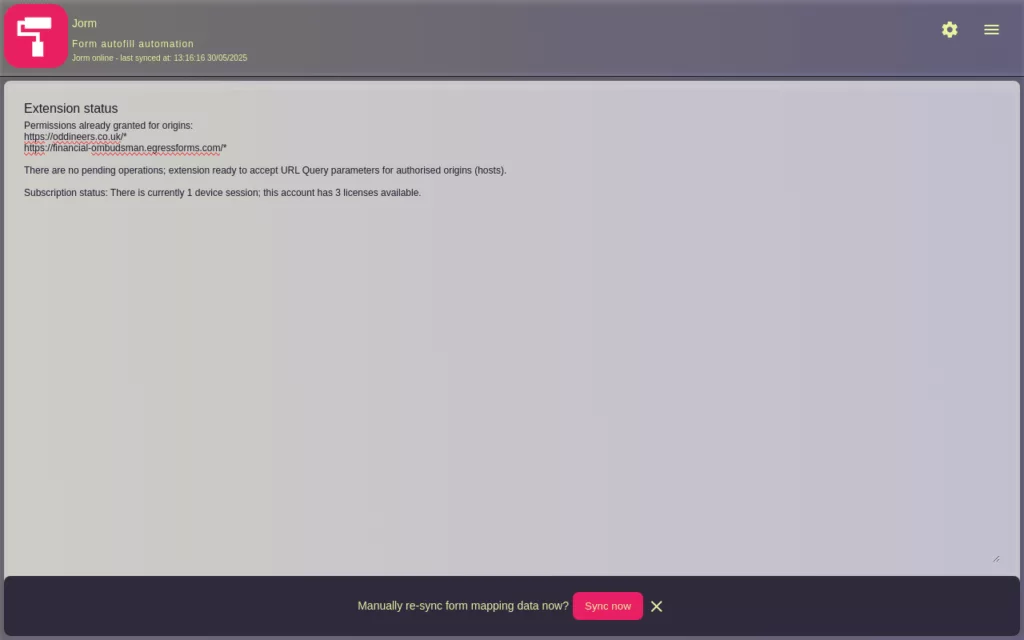
Once authenticated the core form autofill functionality is automatic based on URLs (also known as origins) linked to your account.
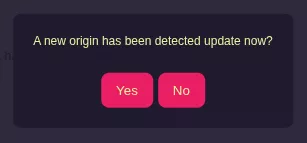
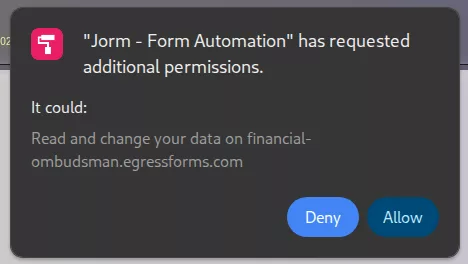
There are a several instances that require user interaction* these are:
Once origin access is approved; the extensions actions are automatic. These automatic actions include:
* Google’s Extension manifest v3 changes introduce tighter controls on permissions; read more about permissions used by Jorm Form Automation and there usage.
Your use of the application: Jorm Form Automation from Oddineers Ltd. is subject to the following: Terms & Conditions and Privacy Policy.
On this page you will find help and support information for Jorm Form automation.
Below we have included information we think you may find helpful and/or to reference should you experience any issues (we hope not). If you continue to have any issues please reach out to us via our contact page or contact our support desk and we will try to remedy your issue.
Other related pages:
This extension is predominately aimed at professionals/IT departments where data entry via web submission using forms is common. This extension makes it possible to automate aspects of these submissions.
We respect your privacy and your data; we do not collect nor transmit any data parsed or autofilled by this extension. We work with a variety of clients including law firms and medical practices with strict requirements.
Most HTML forms are supported but there will/maybe instances where we are unable to automatically index urls; the reasons may include:
kMaxURLDisplayChars) although a 1kB limit is used on VR platforms. Source* In these instances; where our crawler efforts have failed we may be able to manually intervene and generate an mapping.
We are also exploring adding the option for account owners to manually submit HTML for forms behind paywalls/authentication to workaround point 1. Planned in release in 1.3.0.
Important: most forms do not support or make available form fields as query parameters unless designed to. If you try to access/post data to URL’s prepared by this extension and service without using the extension you will be posting that data to the third-party server. You may encounter:
413 Entity Too Largein response.
Where the Jorm extension would typical intercept the request and extract the query parameters.
We monitor and track the outcomes from all indexing requesting to improve our indexing service further.
A subscription is required to use this extension; your subscription is used for various operations. On sign-up we email you credentials to access the Jorm Admin Portal used to manage aspects of your account including:
Our Jorm Administrator Portal uses WordPress to provide an admin portal; with exception to your account email no data is stored in the WordPress installation. Instead all custom components you see make use of the Jorm’s API to retrieve data from your account and make any actions. Read more in our terms and conditions.
Here is a breakdown on extension permissions how we use them:
scriptingoptional_host_permissions matches from webNavigation. The injected script perform the autofill task.webNavigationstoragecontextMenustabsalarmsnotificationshost and/or optional_host_permissionshttps://*.oddineers.co.uk/*.optional_host_permissionsuserDomains.All origins require that the user approve them through user interaction; where approval is required the extension will trigger a notification to inform the user where that user interaction is required.
Under certain scenarios the extension may display small and short badge message atop the extension icon; these badges and their error message or code are intended to quickly inform the user that there is a issue.
Administrators can generate tokens for use with the Chrome extension from the Jorm Admin Portal.
Administrators can choose to:
Which ever option is used; you can send a provisioning URL to users to log them to the Jorm Extension (template available under admin Portal).
Device session work by assigning unique ID’s to connecting clients. These sessions have a lifetime (currently 336 hours or 14 days): If a device ID hasn’t be seen for 336 hours it is automatically cleared freeing the token for use on another device.
Connecting clients are those coming from the Chrome extension; each authenticated instance represents a session which consumes a license.
Example scenario: you have 2 x licenses on your account; you have configured 2 x initial devices and come to install/activate a third device. The third device will require an additional license. The extension will indicate if you need additional licenses as well as session count information. The same information can be found under the admin portal.
Account resets can be requested for consideration via support. These resets are not intended to work around user/device licensing and are considered for certain situations such as internal infrastructure upgrades, etc.
There are several significant changes to September’s 2024 preview release:
optional_host_permissions` to ensure the user approves the new origin. The extension will notify the user through various means.
Google Chrome and the Chrome Web logo are trademarks of Google LLC.
Your use of the application: Jorm Form Automation from Oddineers Ltd. is subject to the following: Terms & Conditions and Privacy Policy.

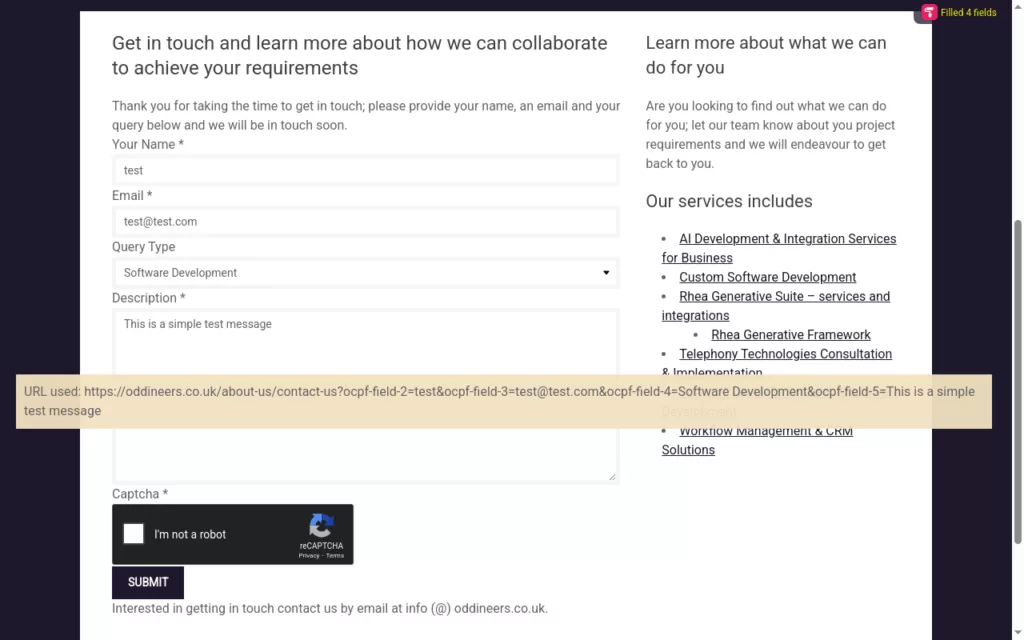
Jorm Form Automation provides a method to supply field ID’s taken from HTML forms as URL query parameters. These URL query parameters are then extracted by Jorm and used to populate matching fields by each ID.
Jorm intercepts requests made to a user approved domain and that contain any URL query parameters; these values are stored in local storage under a cache key which is added to the final url; and used to trigger the form fill.
Ideal for CRM integrations; where an action (such as a button or link) when clicked takes the user to a website. With Jorm that weblink could include various URI parameters representing form fields to autofill data when visited by the CRM user.
Collaborating with our legal clients; a key area that stood out as a bottleneck was form data entry made by members of staff. In some case these members of staff would copy and paste data from over 200+ fields from their own internal CRM to an external service/website forms such as the Complaint form by the Financial Ombudsman Service (note: this forms has over 300 fields.)
Staff typically submitted between 1-3 of these submissions a day. With the use of Jorm they were able to take that per-staff submission value to around 20+ and work through their backlog.
Note that these example scenarios omit specifics such as; are case/files ready for submission etc. Requirements specific to the business deeming a file ready etc. There was an existing back log of work pending submission.
In practice the key take here is this saves users valuable time by auto-filling mapped data. It intended for use by professionals.
Designed specifically to add a layer of automation to third-party services that may lack support for other integration such as API’s etc.
Ideal for CRM integrations; where an action (such as a button or link) when clicked takes the user to a website. With Jorm that weblink could include various URI parameters representing form fields to autofill data when visited by the CRM user.
Quickly auto-fill forms using data within your CRM/internal systems
Or, login to manage your account
Payments are processed by Stripe
* A active subscription is required to use the Chrome Extension
Jorm Form Automation provides a method to supply field ID’s taken from HTML forms as URL query parameters. These URL query parameters are then extracted by Jorm and used to populate matching fields by each ID.
Jorm intercepts requests made to a user approved domain and that contain any URL query parameters; these values are stored in local storage under a cache key which is added to the final url; and used to trigger the form fill. Example: https://oddineers.co.uk/test-form?cacheKey=m0mll3s3
Jorm Form Automation has been built to enable organisations to build automation’s against services that utilise html based forms for data submission; these are common and are found everywhere from contact forms, order forms, case submissions, etc. They can vary in size from several fields to several hundred; in the latter case larger forms that become part of a businesses day to day operations or workflow take time for staff to complete. Often the data they are submitting is already present in their organisations internal systems and they are copy data from one system to another external system.
Jorm aims to change that by providing a way automate the data filling aspect by simply providing a web link to the form from within your CRM/Intranet or other systems. This link once populated with our URL query parameter template when clicked will open the website to the form and autofill any mapped data.
It does not complete ReCaptcha’s nor submit any forms; agents/case handlers must complete the ReCaptcha to enable submission after performing their own quality checks.
* A subscription is required to use the Chrome Extension
We respect your privacy and your data; we do not collect nor transmit any data submitted to, parsed by or auto-filled by this extension.
Read more in our privacy policy or reach out to us if you have any further questions.
Below we have included several important points from our support page that we think you will find helpful. If you continue to have any issues please reach out to us via our contact page or contact our support desk and we will try to remedy your issue.
Please see our Jorm Product Support page for more detailed help and support.
This extension is predominately aimed at professionals/IT departments where data entry via web submission using forms is common. This extension makes it possible to automate aspects of these submissions.
A subscription is required to use this extension; your subscription is used for various operations. On sign-up we email you credentials to access the Jorm Admin Portal used to manage aspects of your account including:
Here is a breakdown on extension permissions how we use them:
scriptingoptional_host_permissions matches from webNavigation. The injected script perform the autofill task.webNavigationstoragecontextMenustabsalarmsnotificationshost and/or optional_host_permissionsuserDomains.All origins require that the user approve them through user interaction; where approval is required the extension will trigger a notification to inform the user where that user interaction is required.
There are several significant changes to September’s 2024 release:
optional_host_permissions` to ensure the user approves the new origin. The extension will notify the user through various means.
If you do have any issues please reach out to us via our contact page or existing clients may contact our support desk and we will try to remedy your issue.
Please see our Jorm Product Support page for more detailed help and support.
Google Chrome and the Chrome Web logo are trademarks of Google LLC.
Your use of the application: Jorm Form Automation from Oddineers Ltd. is subject to the following: Terms & Conditions and Privacy Policy.
We have recently updated our GLaunch application although depreciated; it still has a number of user utilising the utility. GLaunch has been updated to manifest version 3 and will continue to work under Chrome’s new extension requirements.
Continue reading
A utility for quickly accessing Google services
GLaunch is a simple extension that provide a popup link panel to numerous Google services. Services can be quickly filtered by typing the name of the desired service name.
Many services now features sub actions that provide quick access to common functions within select services.
GLaunch can be used as your new tab page, opened as a new tab or standalone window along side the Chrome extension panel.
GLaunch is available on Google Play, Chrome Web Store and a web variant.
Please note that the icons used to represent each service are the official icons by Google they were sourced from the service itself.
Any of the trademarks, service marks, collective marks, design rights or similar rights that are shown, mentioned or cited on the extension are the property of their respective owners and not of Integrated Brands, its contributors or visitors.
The word mark, “Google” and the logo, and any associated service logos are copyright. That copyright is held by Google.



 Available in the