Document templating with Luna WMS

In this article we take a look at Luna’s document template system and how it can be used to rapidly prototype and then deploy documents across the system.
Continue reading
In this article we take a look at Luna’s document template system and how it can be used to rapidly prototype and then deploy documents across the system.
Continue reading
One Luna’s strongest areas is in the processing and handling of leads (enquiries, etc); a clients journey can represented through a process; a lead could be one that you have actively marketed for through advertising, or the client contacted you organically, etc. Luna WMS provides businesses with a highly effective system in handling and processing those leads.
Continue readingFor a decade, we’ve been deeply embedded in the legal industry’s content management challenges, witnessing businesses struggle with outdated, clunky, inflexible workflow platforms. That’s why we created Luna Workflow Management System a case management solution designed to transform how businesses operate, boosting efficiency, simplifying processes, and ultimately, driving better client outcomes.
Luna WMS is a one-stop solution to streamline your workflow no matter what your business needs may be. From step one, client data is securely gathered and integrated into Luna WMS using our Enquiry Designer. Client data can come directly from the client or be gathered by your agents (be they human or AI) using Luna’s guided workflow system to ensure capture of high-quality data. The Luna WMS Workflow Designer can then be used to prompt agents on next steps to progress the matter, or matters can be automated and progressed with minimal human input. From automated document generation, reminder texts and emails, deadline tracking, and system notifications, Luna WMS has been created to meet your needs, maximise your efficiency, and give your clients a seamless experience.
Luna WMS puts the tools in your hands; no coding or developer skills required. The intuitive graphical user interface (GUI) helps you build enquiries and workflows yourself, eliminating the middleman and ensuring your system perfectly reflects your requirements and expertise.
We offer personalised 1-on-1 setup support and ongoing maintenance contracts to ensure your success. Contact us today for a demo and discover how Luna WMS can transform your business.
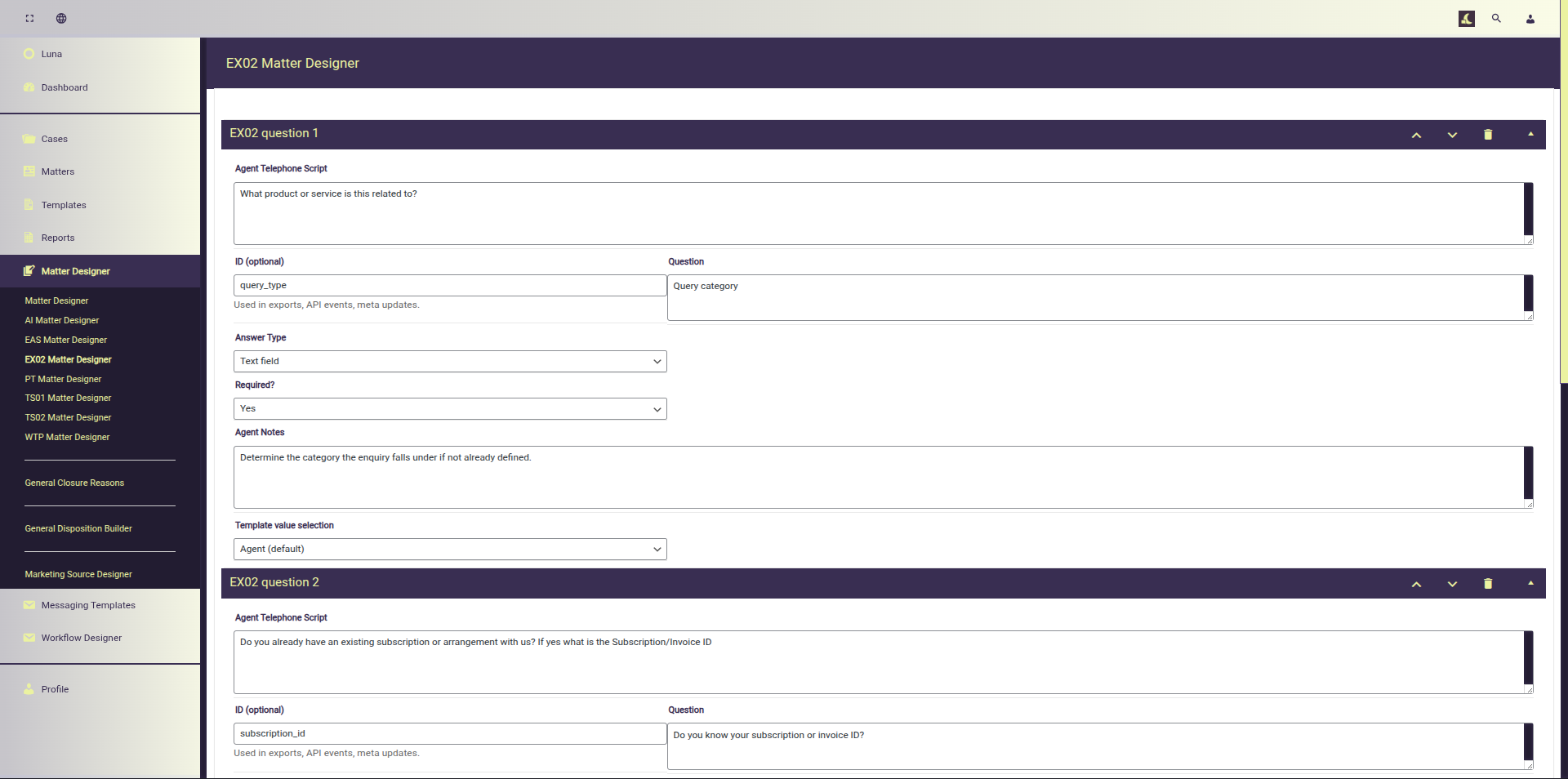
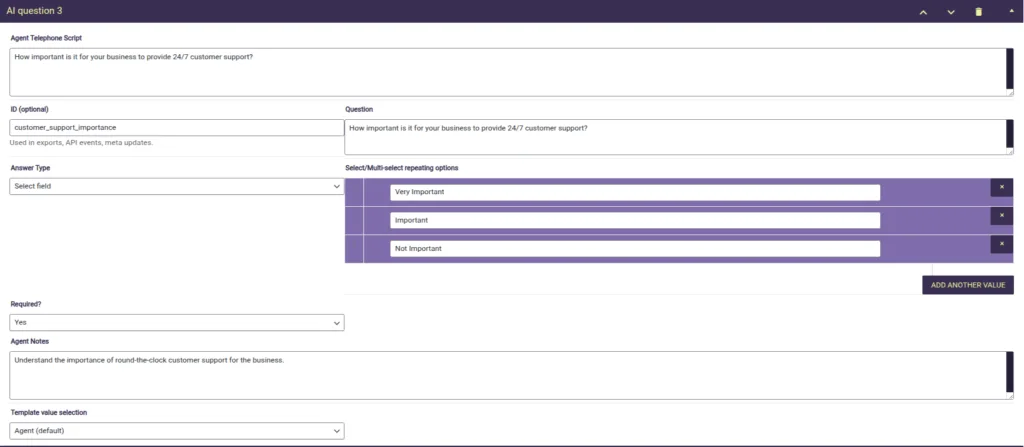
Build and design: Quickly prototype matters/enquiries of any nature with a with a dedicated questionnaire builder.
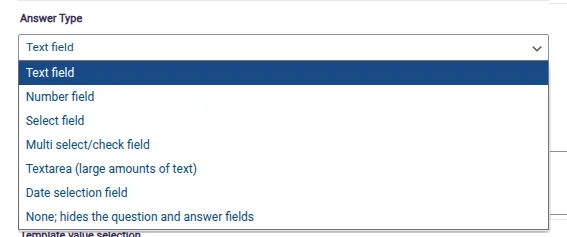
Data consistency: Ensure data is captured as you require by enforcing formatting options.
Define required fields: Capture the critical data you need during the signup/evaluation phase and setup required fields to limit progress until capture.
Deploy new types as required: quickly create new matter types: Efficiently communicate requirements with agents/files handlers and ensure that they capture the data you need to progress further.
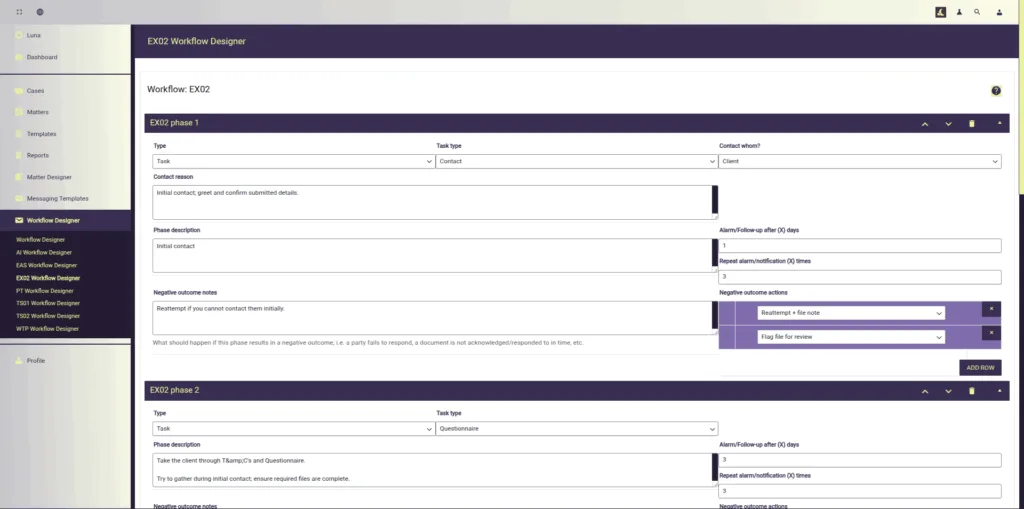
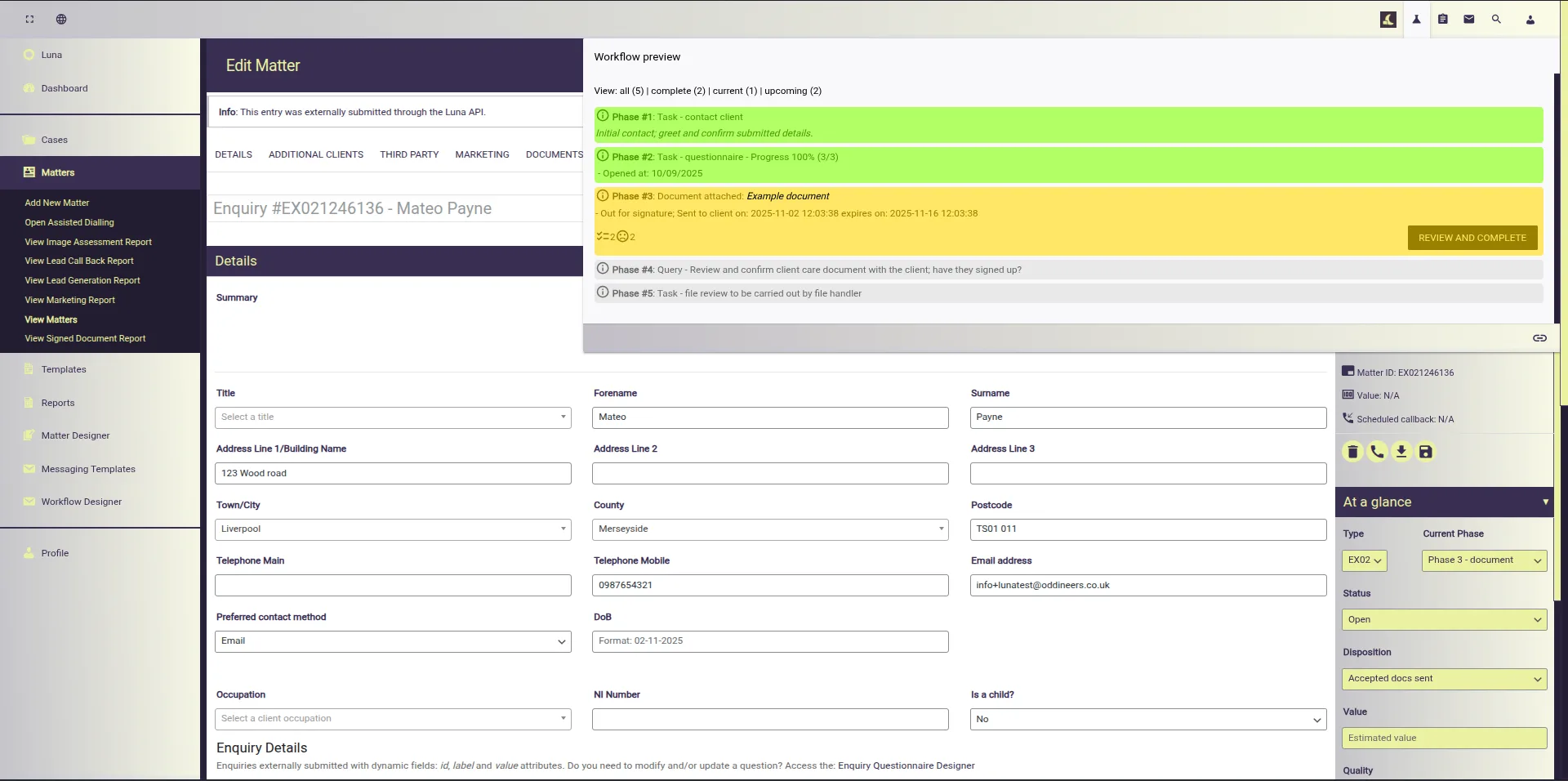
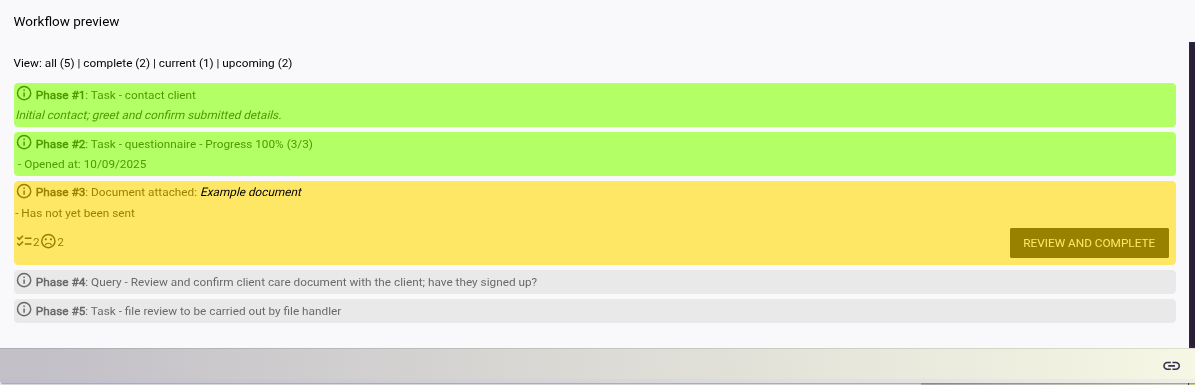
Our workflow designer enables you to layout the actions required to progress a matter. Workflows breakdown in to phases and with each phase you can define elements such as:
These are used by the system to produces reminders/tasks/alerts based on the conditions defined.
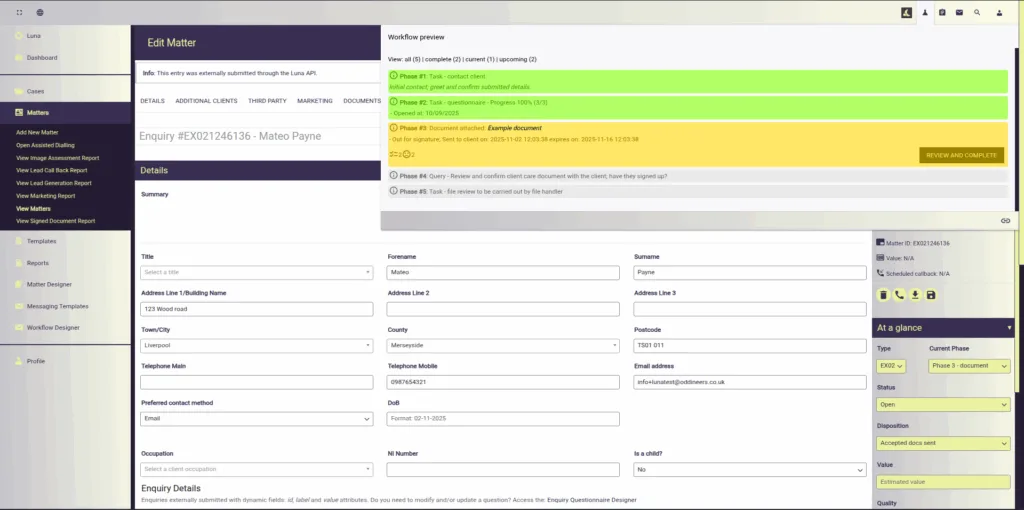
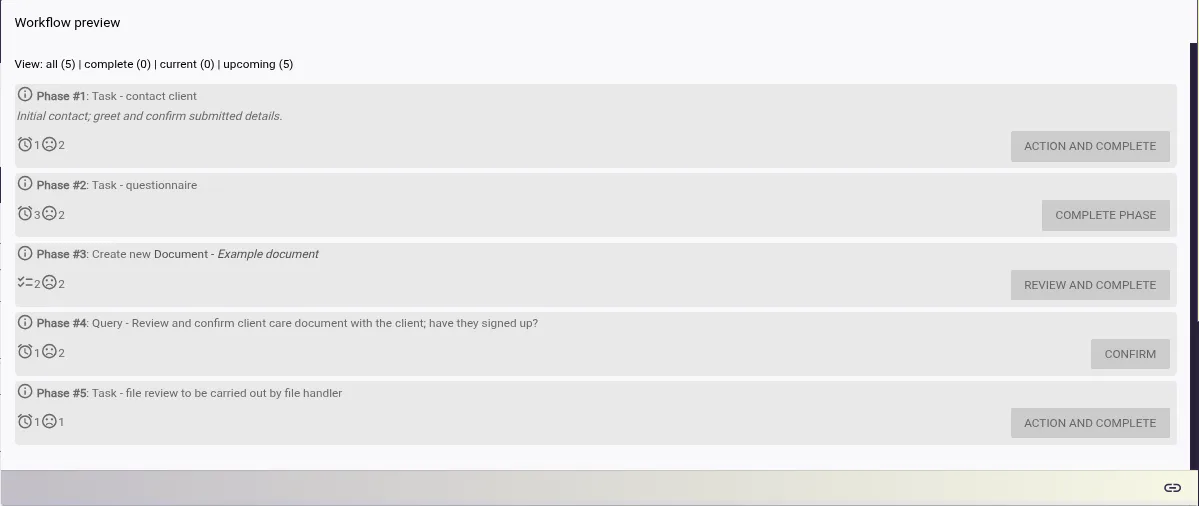
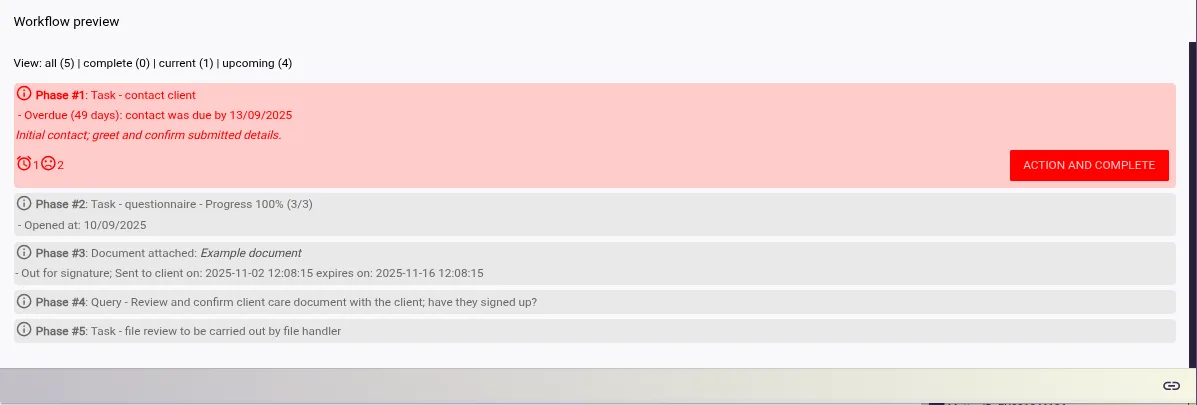
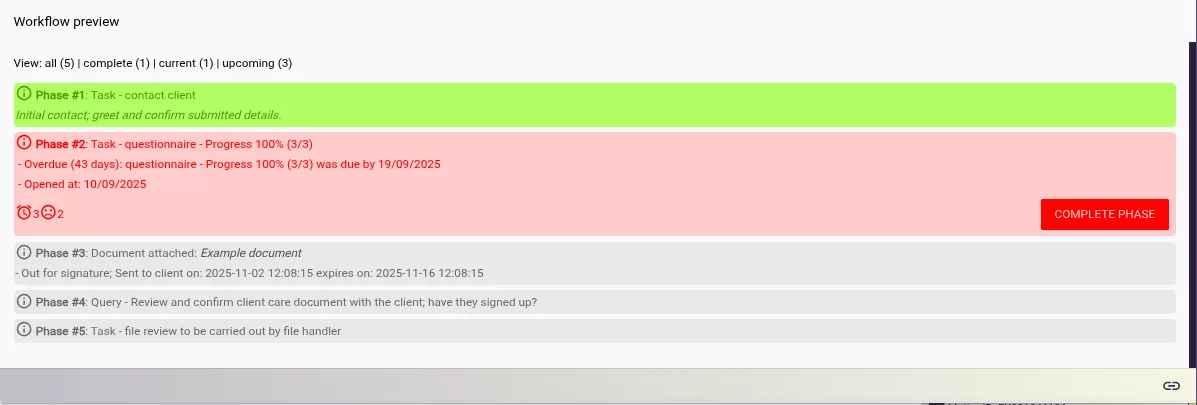
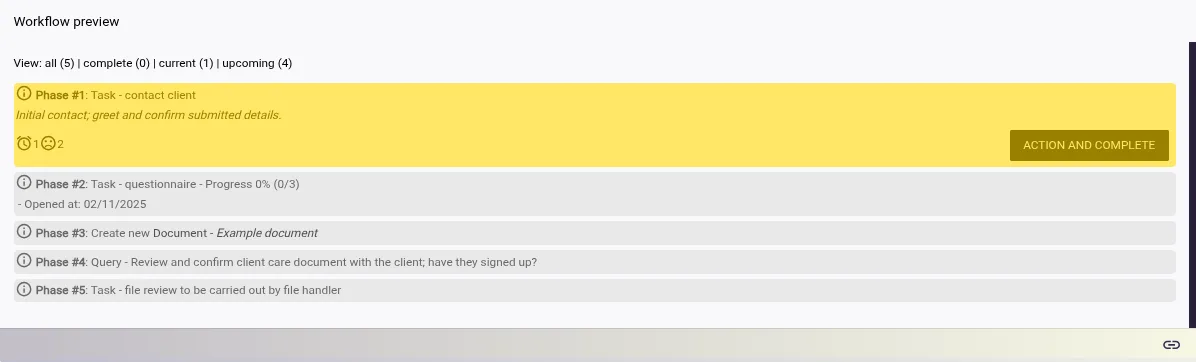
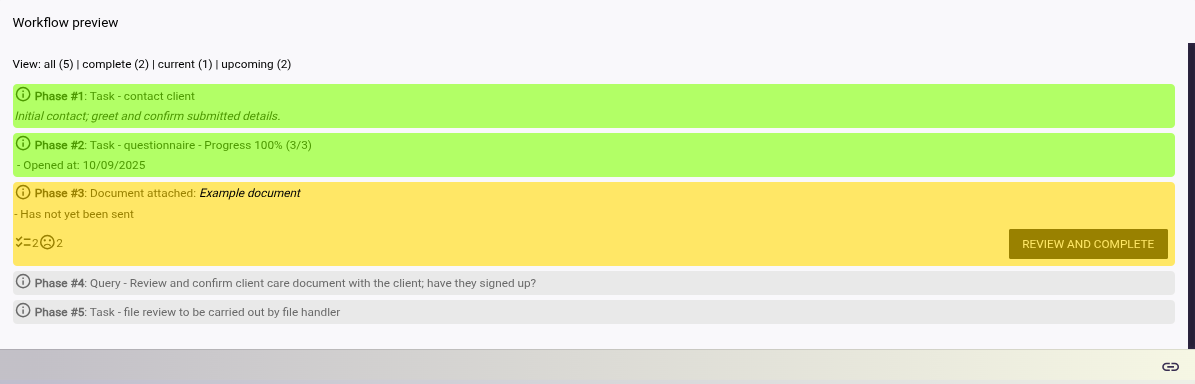
Users of the system can use the workflow overview widget as a guide to running a file/matter.
Workflow designer phases are utilised in many areas throughout the system:
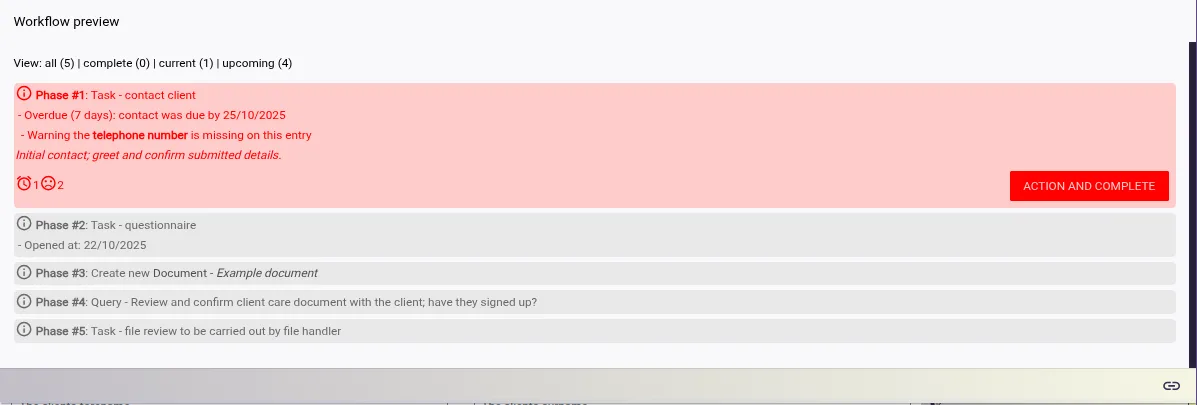
Workflow phases can be viewed by file handlers and serve as a guide on what action to take next, deadlines and other related information.
Each phase from a workflow defines conditional rules that are used to provided indicators such as: alerts, suggestions, notifications, etc. for actions to take next under a file.
These conditions use data from the matter in their calculations; documents use their sent day and expiry rules, contact tasks use dates and file history entries from the file to determine if contact was made.
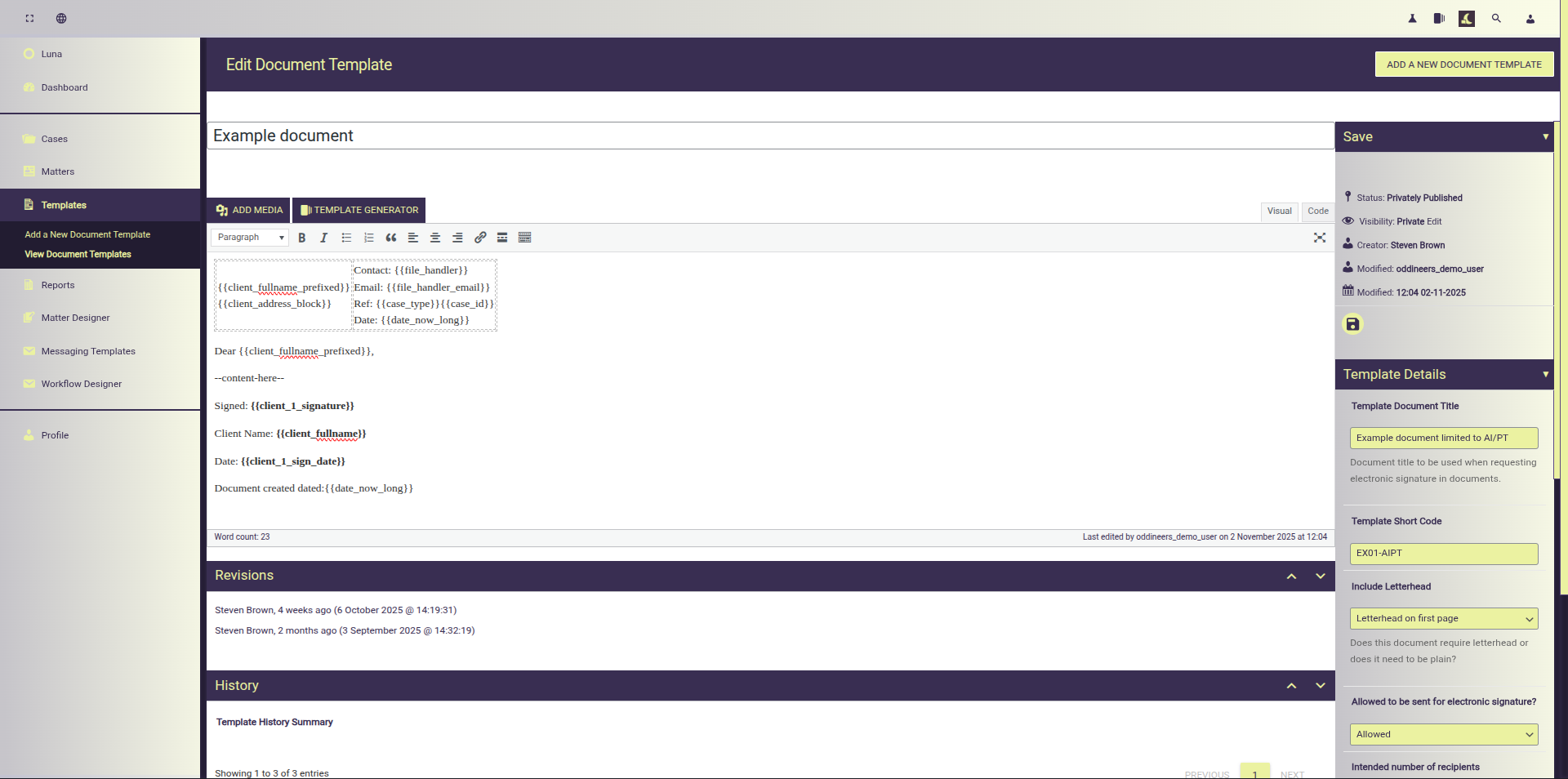
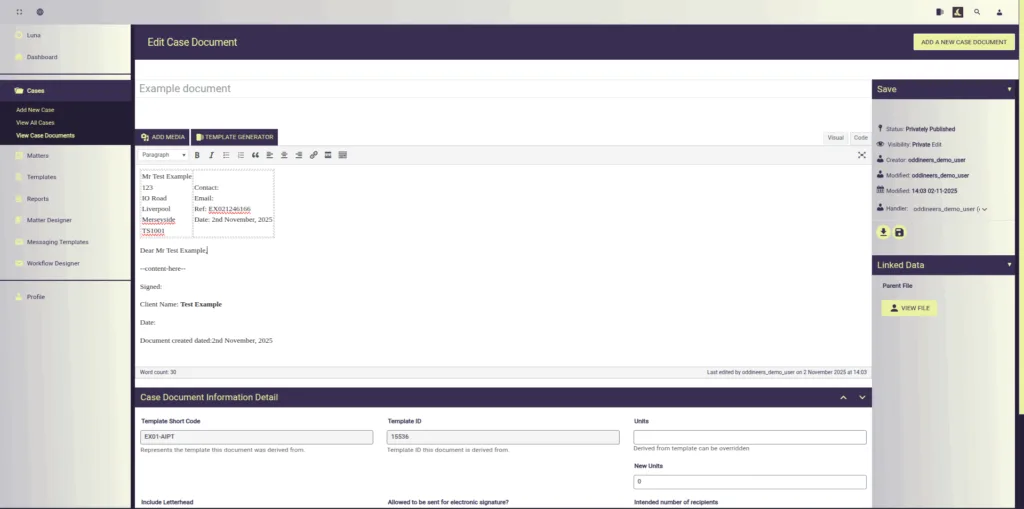
Utilise Luna’s template engine to quickly build a library of template documents; that are used by the system to auto-populate information using template tags.
Limit templates to one of more matter types. Suggest templates to use for a phase under the under the workflow builder.
Build a rich library of template documents and delegate access to required users.
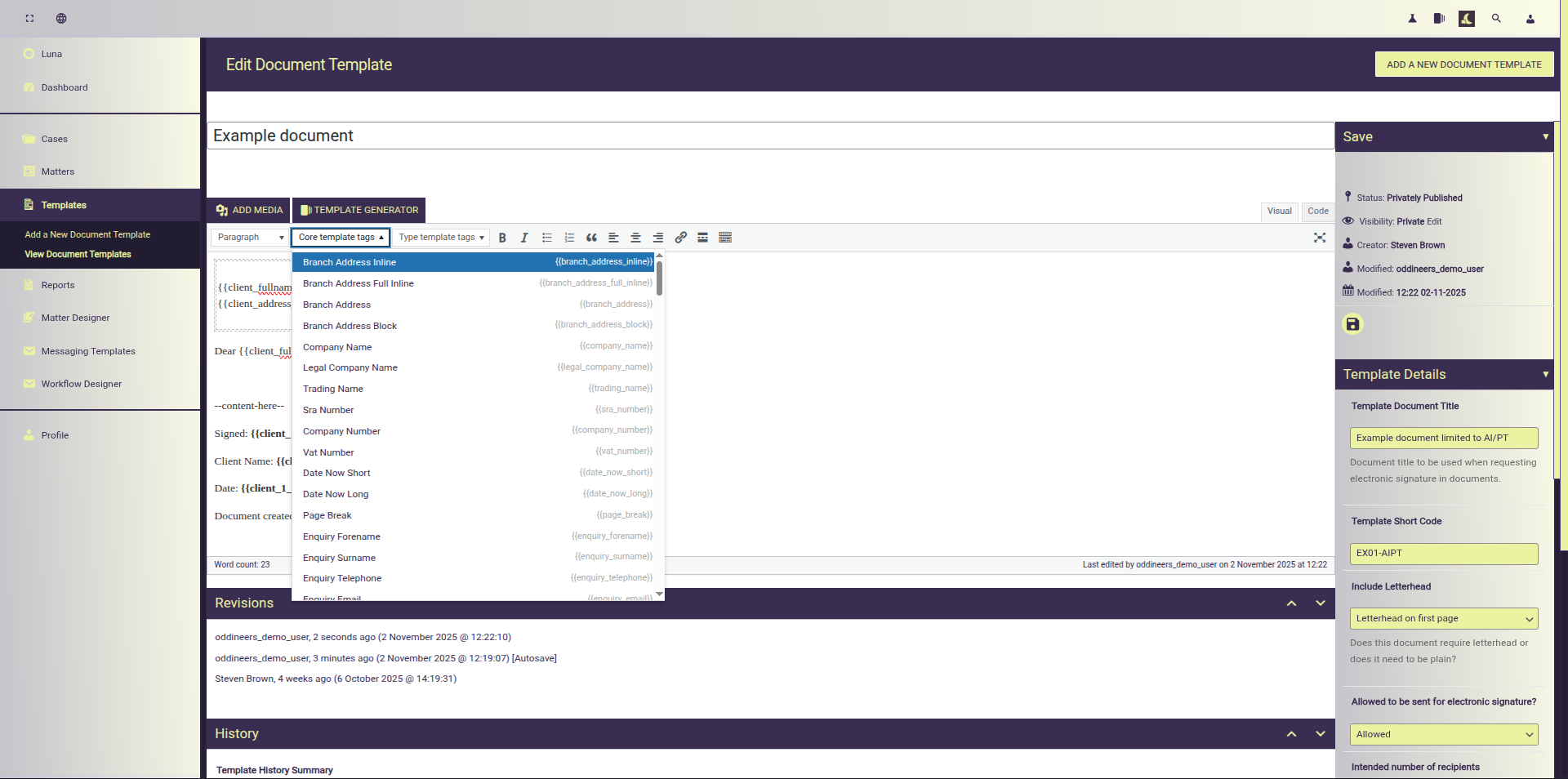
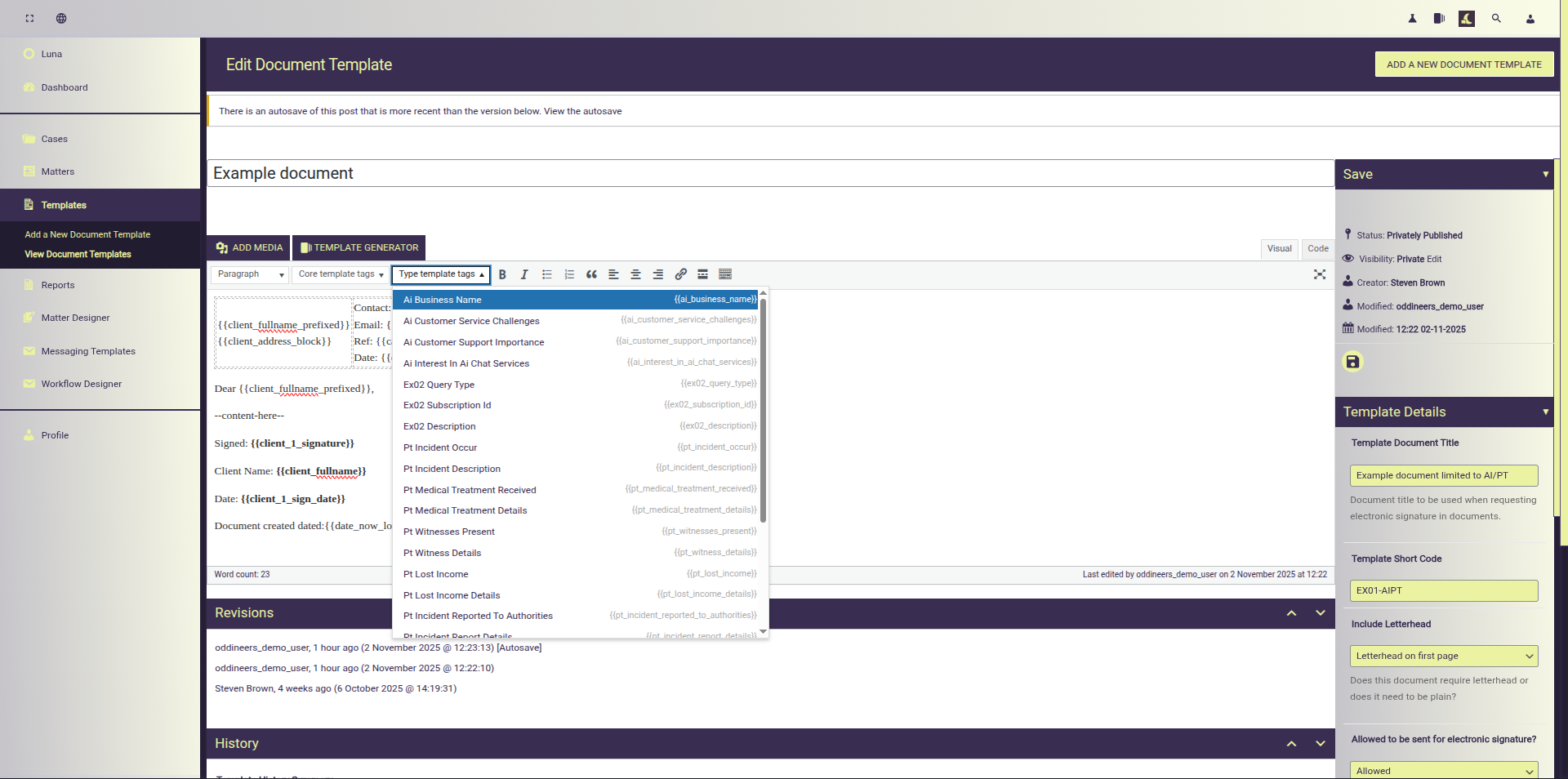
Utilise system defined template tags to quickly build templates; readily accessible from the editor enabling consistent and quick document creation
Supports custom type specific template tags derived from matter/enquiry designer fields.
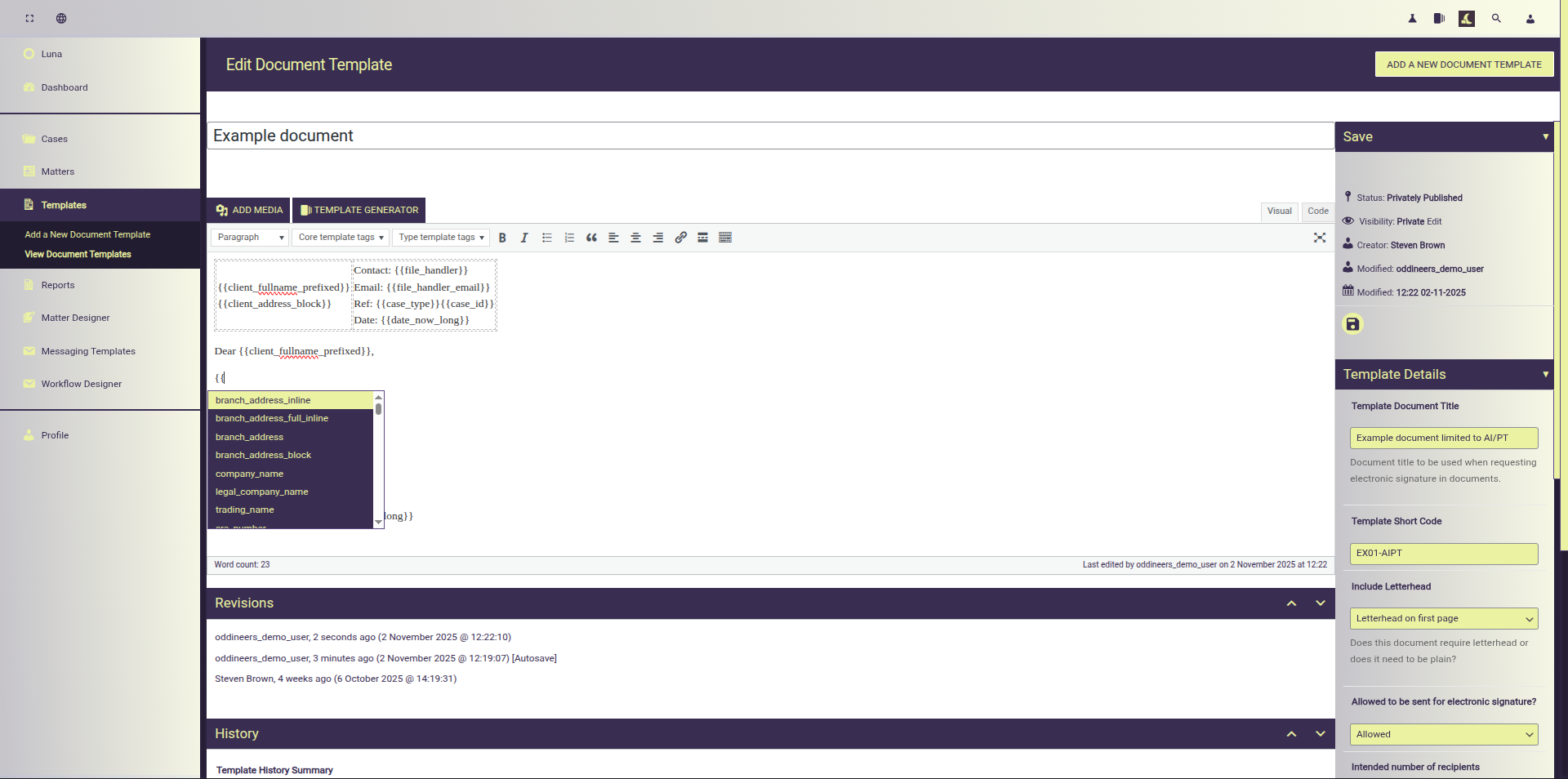
Inline auto-completion provides quick access to template tags. Build faster and more intuitively.
AI/LLM support powered by the Rhea Generative Framework (OpenAI API compatible)
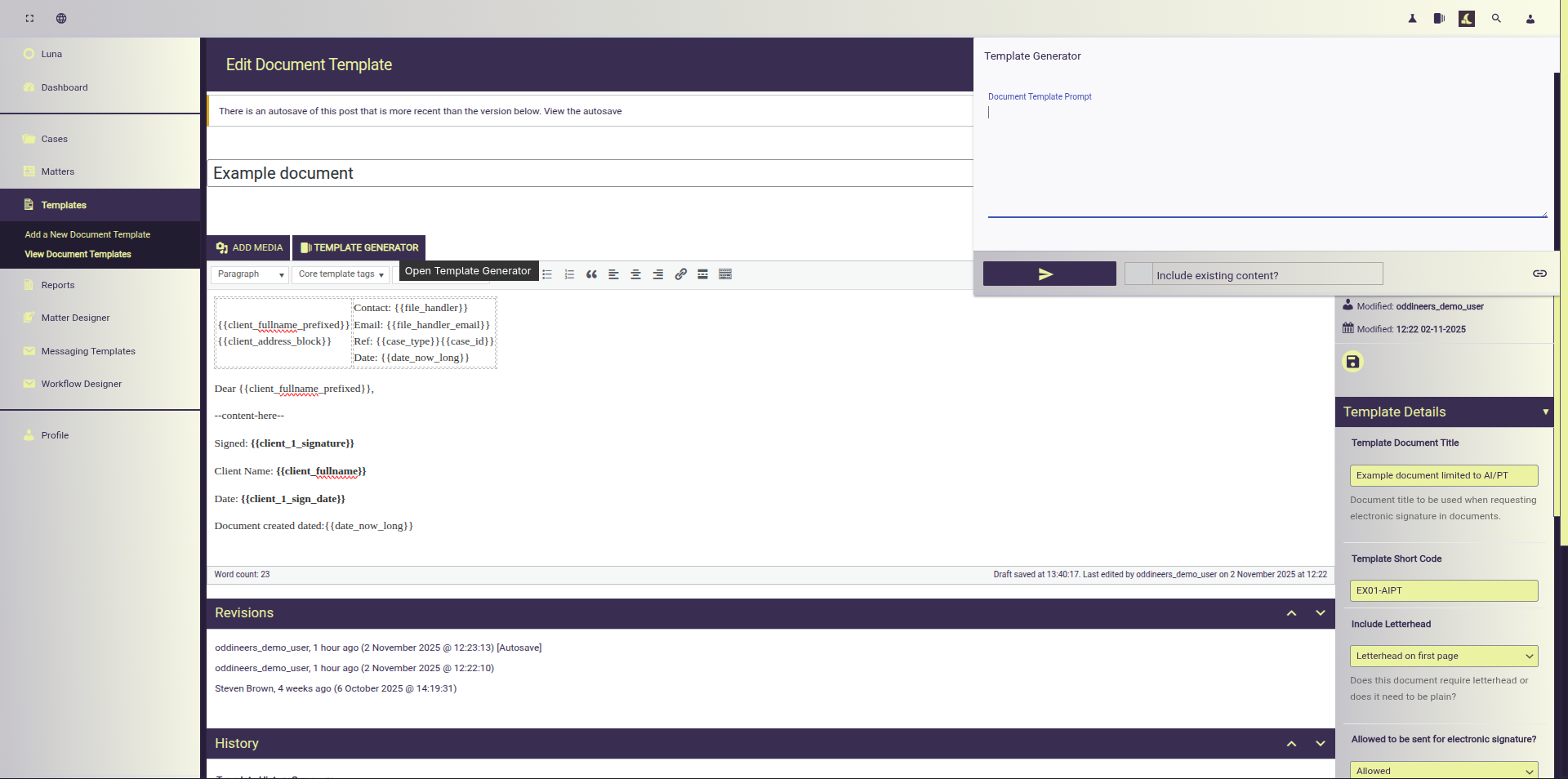
Template Generator available using the Rhea Generative Framework integration.
It can be used to:
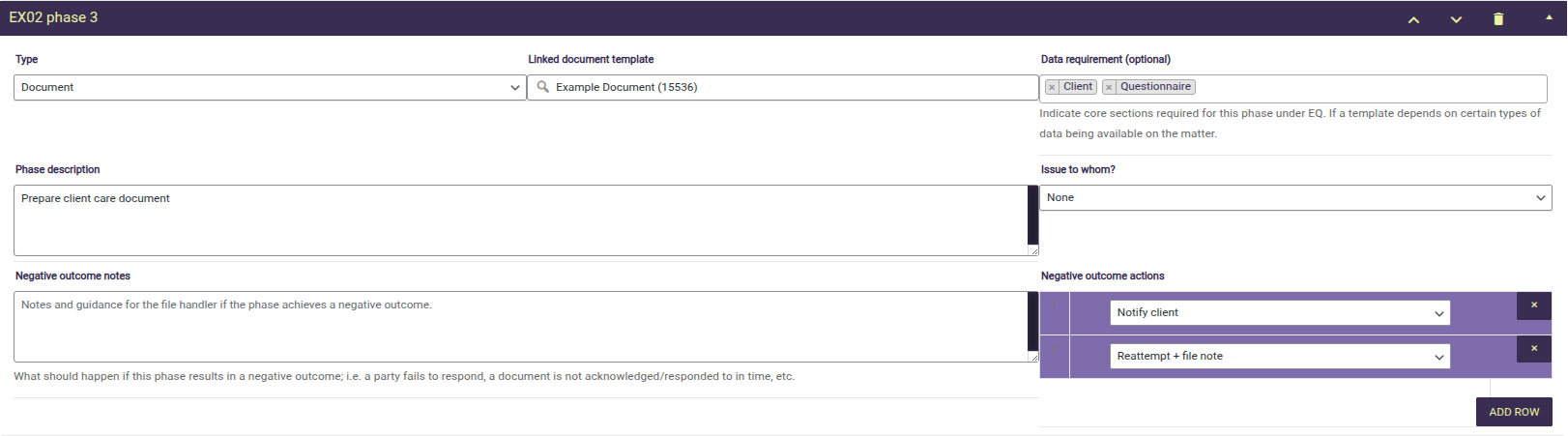
The document phase under the workflow builder is used to suggest a template document to be used under a matter once that phase is reached.
Note that the document template, enquiry etc. are comprised of test data, simplified to aid in the demonstration
Example a template document is limited to three specific types
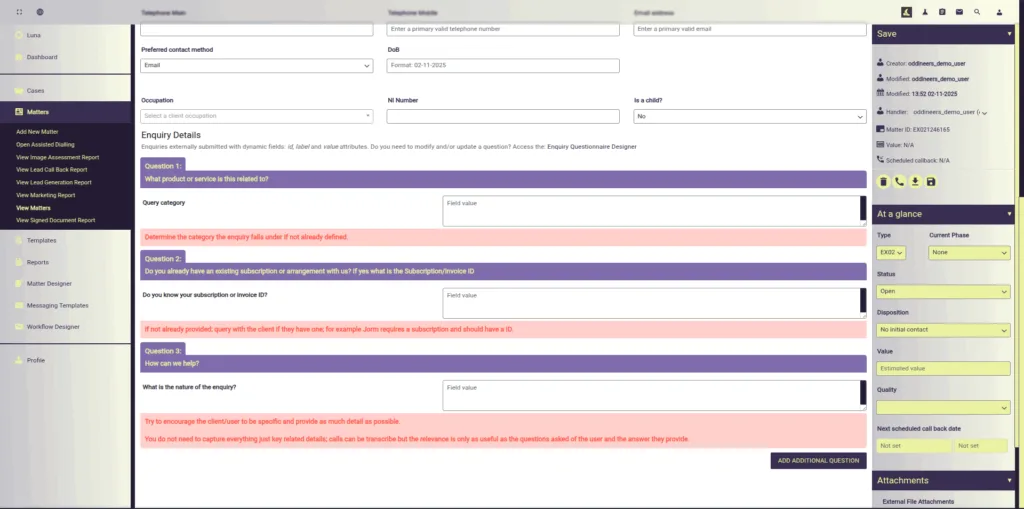
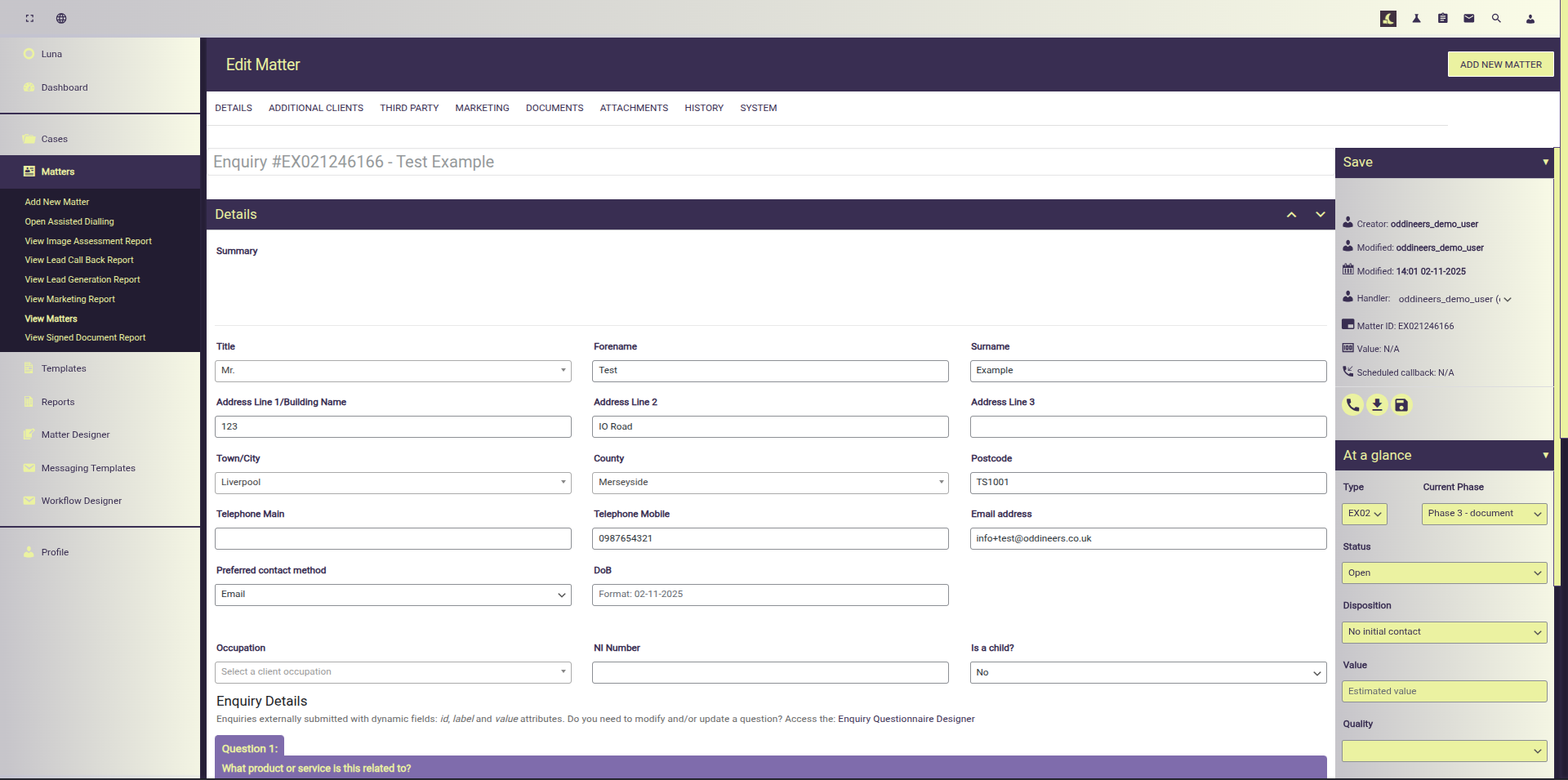
Viewing and editing a test enquiry we check that core client details are provided
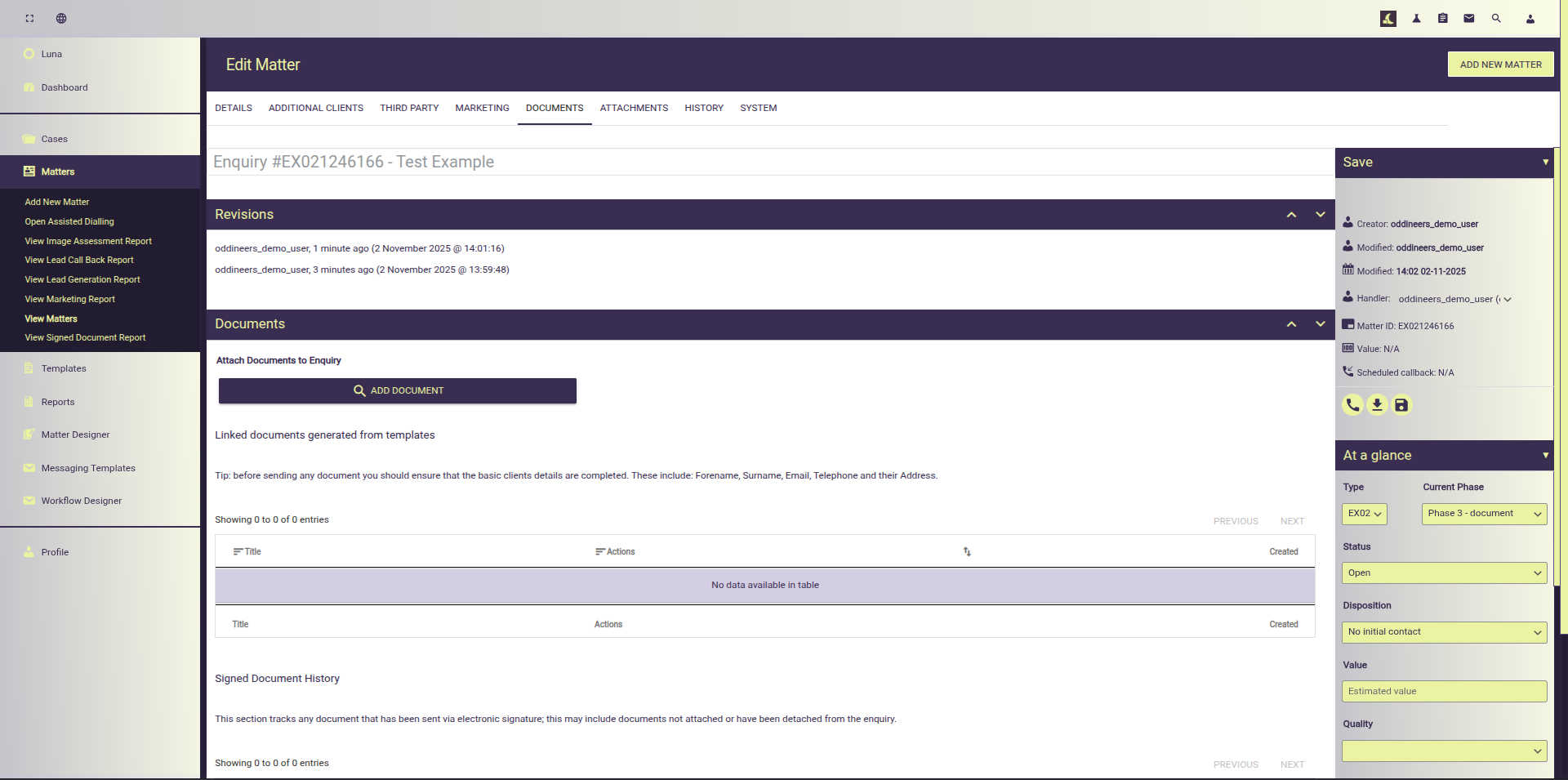
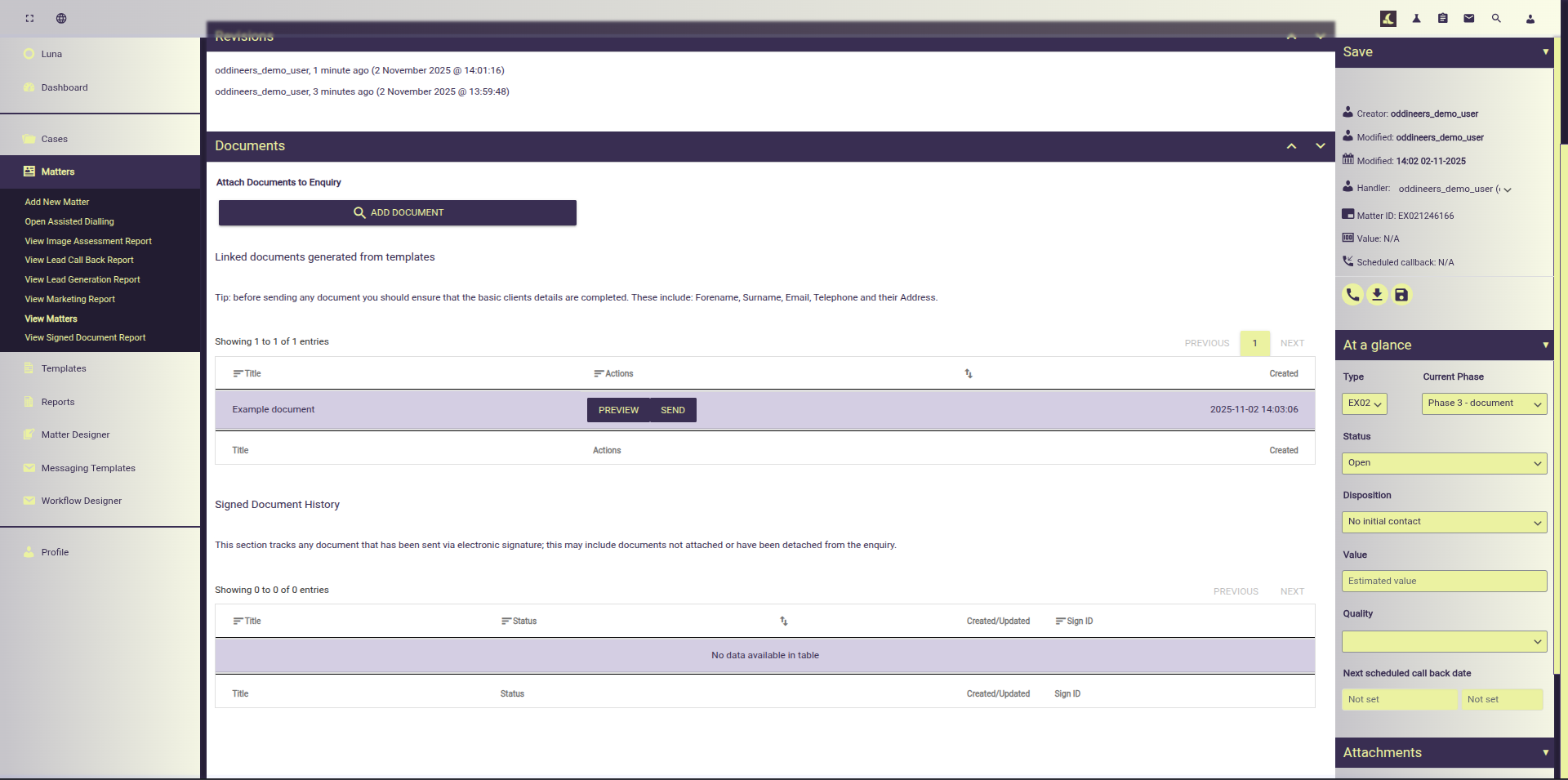
Then navigating to the documents section; we add a new document derived from the enquiry type.
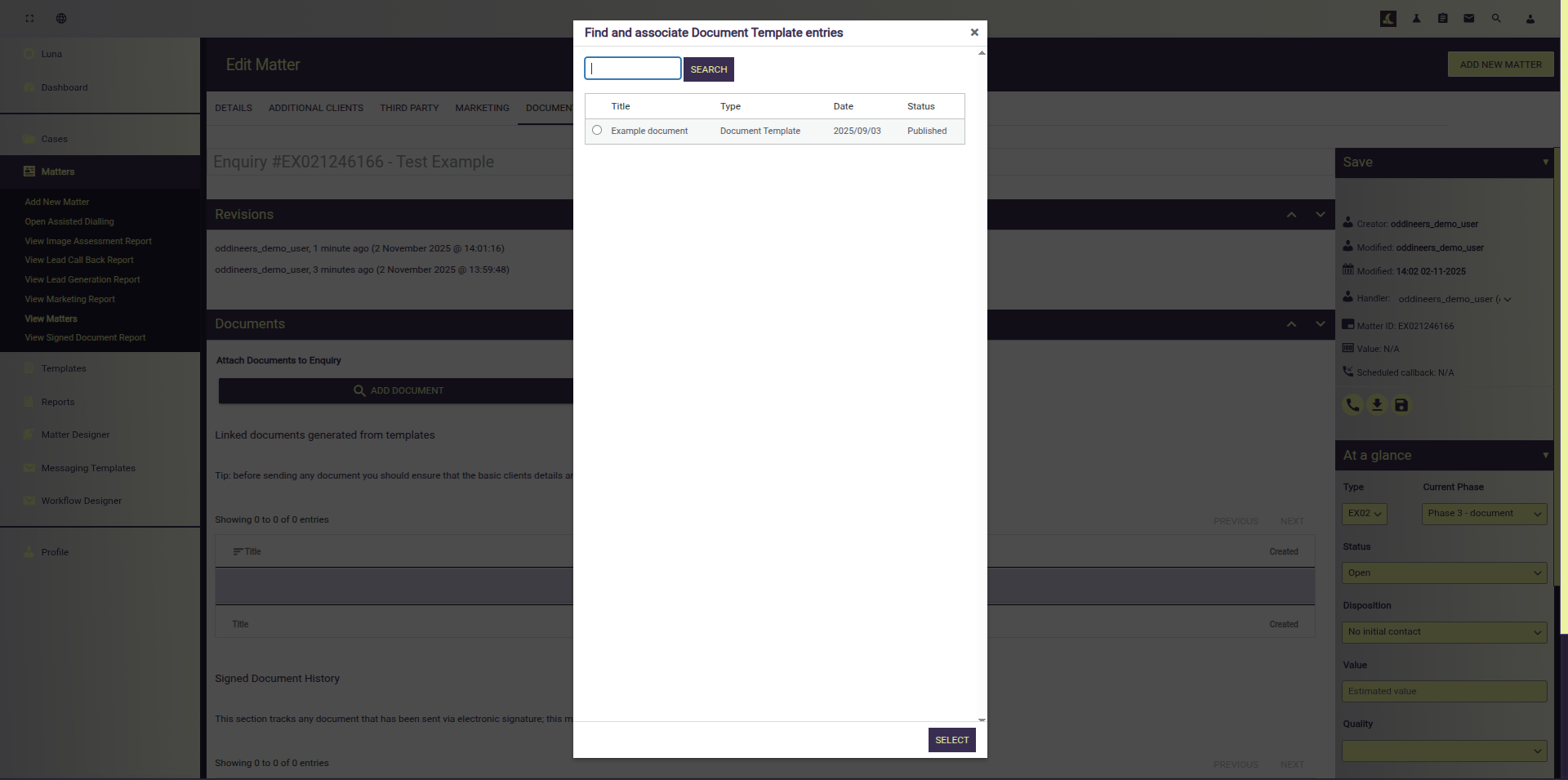
Find and link the document
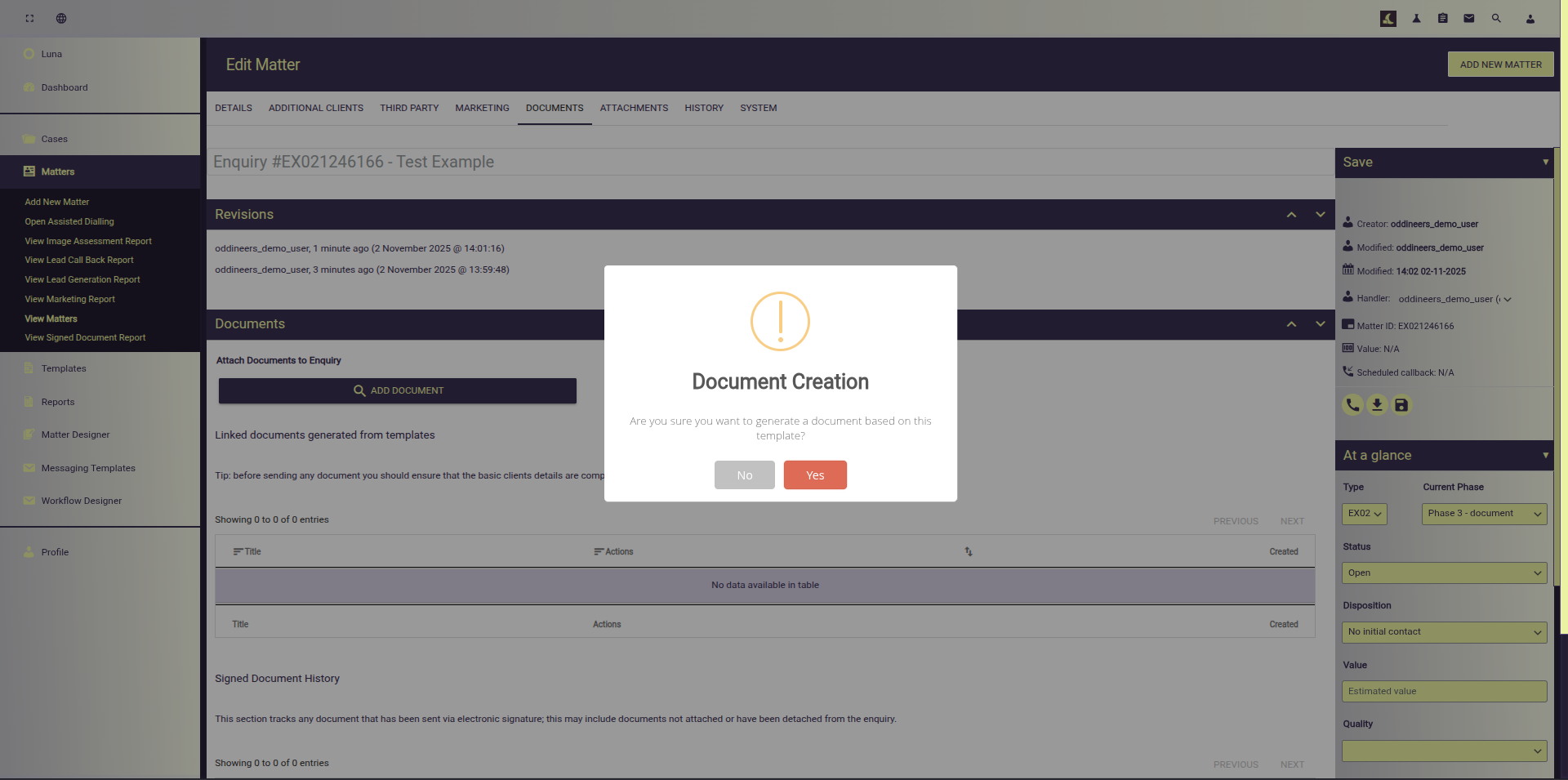
Confirm the new document addition
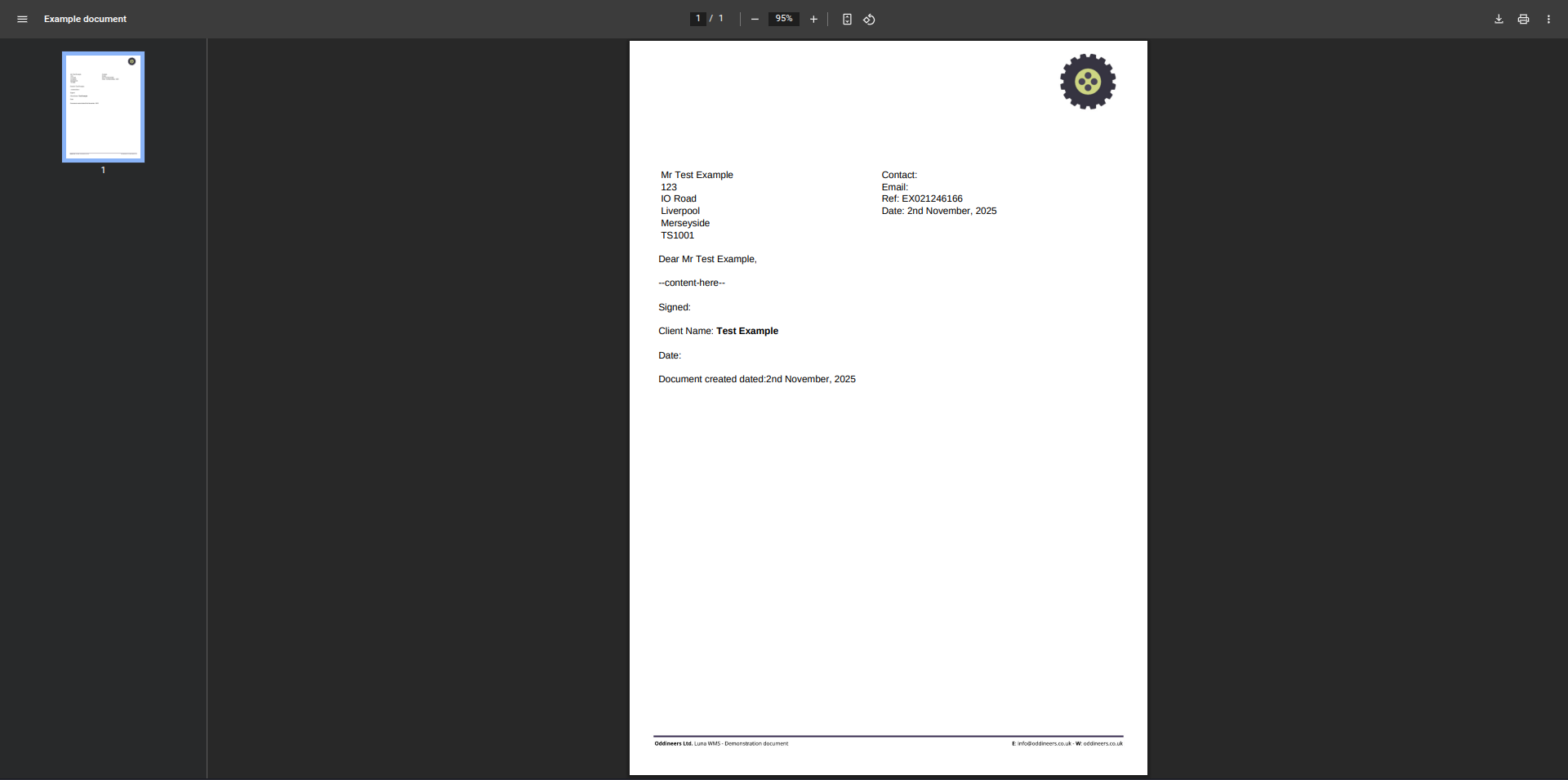
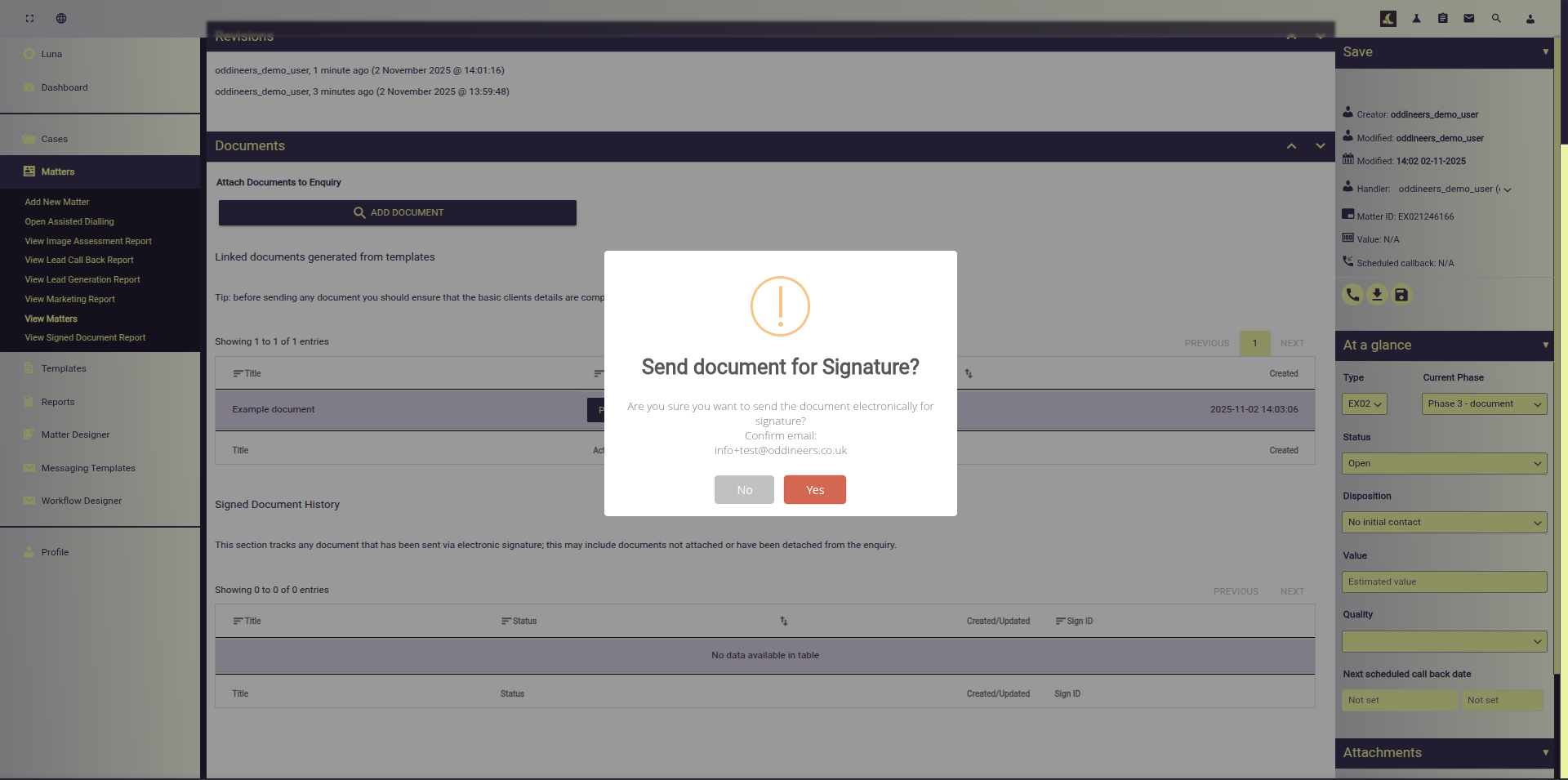
Preview the generated document, edit or send for electronic signature**:
Luna WMS has been used by numerous companies since its creation in 2017. Developed initially as an on-boarding platform which grew with overlaps in functionality to more generalised CRM with further adaptions in to a case management system.
Throughout development we have closely worked with our clients to meet their requirements; at times this has taken the form of bespoke modifications, bespoke custom forks, etc. Despite specialising in legal/medical (general practice) scenarios it’s not limited to these.
If you’d like to discuss options or how Luna could help you please consider getting in touch.
Designed to be ran standalone as a fully fledged content management system or in conjunction with existing CRM/CMS system. Luna WMS enables businesses to rapidly adapt their enquiry/on-boarding services to suite their needs.
Luna boasts a rich RestAPI featuring support for actions such as:
These are but a few of the supported functions; explore the Knowledge base or view the Rest API documentation at:
Luna WMS is not just a replacement it can serve as a bridge between systems vastly easing system migration and ensuring compatibility with current processes. Alongside the Rest API Luna also provides functionality that can simplify integrations and/or migrations:
Access to Luna WMS is by written agreement with Oddineers Ltd. The Service is delivered as a dedicated, isolated Instance for your organisation. There is no public sign-up or self-serve deployment. To begin, please contact us to receive an Order Form and Data Processing Addendum, after which we will provision your Instance.
** electronic signature support within Luna WMS is extendable; we currently support: Dropbox sign (formerly HelloSign) and Adobe Sign. Over the years when working with our clients a key requirements that frequently emerged was real-time updates; both these providers support real-time callback API events. If you’re interested in Luna WMS and have another electronic signature provider you would like to use we’re more than open to expanding our supported integrations. Similarly if you’re an electronic signature provider looking to add support reach out to us at our contact page.
Note that any AI integrations demonstrated here for Luna WMS, use our Rhea Framework to provide several enhancements to the system.
The Rhea Framework is compatible with most popular LLM/AI providers such as OpenAI, Azure, Google, Anthropic but also features and is strongly encourages the uses of self-hosted (offline) LLM’s such as those from HuggingFace.
We strongly advise that interested parties and our clients to utilise offline LLM’s and can advise on this accordingly; our Rhea Framework additionally provides an OpenAI API compatible (drop-in replacement) server for hosting your own models. If you want to see why we suggest this consider reading: <some-link>

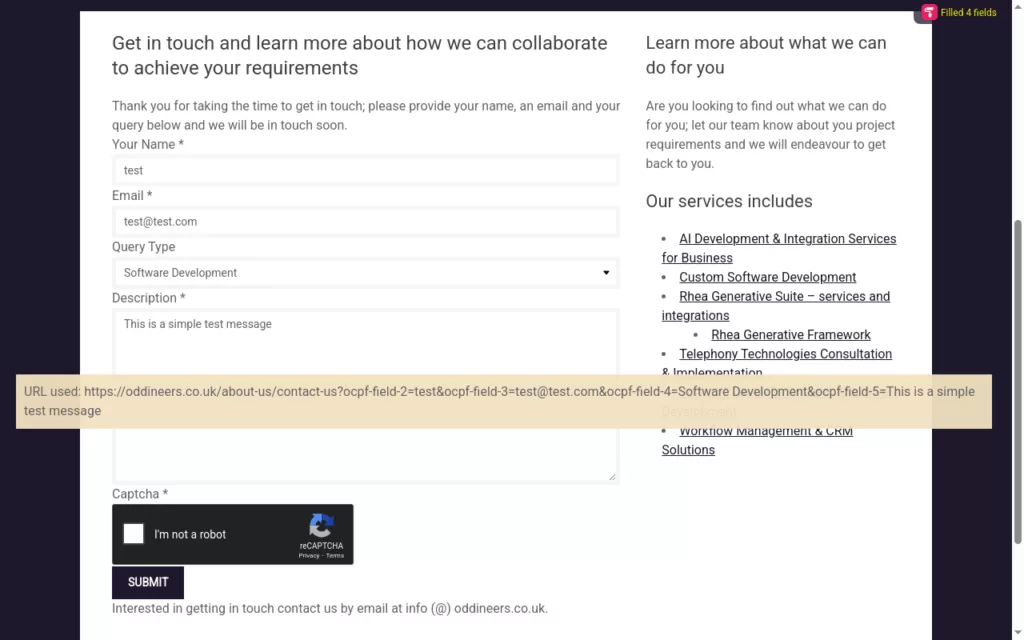
Jorm Form Automation provides a method to supply field ID’s taken from HTML forms as URL query parameters. These URL query parameters are then extracted by Jorm and used to populate matching fields by each ID.
Jorm intercepts requests made to a user approved domain and that contain any URL query parameters; these values are stored in local storage under a cache key which is added to the final url; and used to trigger the form fill.
Ideal for CRM integrations; where an action (such as a button or link) when clicked takes the user to a website. With Jorm that weblink could include various URI parameters representing form fields to autofill data when visited by the CRM user.
Collaborating with our legal clients; a key area that stood out as a bottleneck was form data entry made by members of staff. In some case these members of staff would copy and paste data from over 200+ fields from their own internal CRM to an external service/website forms such as the Complaint form by the Financial Ombudsman Service (note: this forms has over 300 fields.)
Staff typically submitted between 1-3 of these submissions a day. With the use of Jorm they were able to take that per-staff submission value to around 20+ and work through their backlog.
Note that these example scenarios omit specifics such as; are case/files ready for submission etc. Requirements specific to the business deeming a file ready etc. There was an existing back log of work pending submission.
In practice the key take here is this saves users valuable time by auto-filling mapped data. It intended for use by professionals.
Designed specifically to add a layer of automation to third-party services that may lack support for other integration such as API’s etc.
Ideal for CRM integrations; where an action (such as a button or link) when clicked takes the user to a website. With Jorm that weblink could include various URI parameters representing form fields to autofill data when visited by the CRM user.
Quickly auto-fill forms using data within your CRM/internal systems
Or, login to manage your account
Payments are processed by Stripe
* A active subscription is required to use the Chrome Extension
Jorm Form Automation provides a method to supply field ID’s taken from HTML forms as URL query parameters. These URL query parameters are then extracted by Jorm and used to populate matching fields by each ID.
Jorm intercepts requests made to a user approved domain and that contain any URL query parameters; these values are stored in local storage under a cache key which is added to the final url; and used to trigger the form fill. Example: https://oddineers.co.uk/test-form?cacheKey=m0mll3s3
Jorm Form Automation has been built to enable organisations to build automation’s against services that utilise html based forms for data submission; these are common and are found everywhere from contact forms, order forms, case submissions, etc. They can vary in size from several fields to several hundred; in the latter case larger forms that become part of a businesses day to day operations or workflow take time for staff to complete. Often the data they are submitting is already present in their organisations internal systems and they are copy data from one system to another external system.
Jorm aims to change that by providing a way automate the data filling aspect by simply providing a web link to the form from within your CRM/Intranet or other systems. This link once populated with our URL query parameter template when clicked will open the website to the form and autofill any mapped data.
It does not complete ReCaptcha’s nor submit any forms; agents/case handlers must complete the ReCaptcha to enable submission after performing their own quality checks.
* A subscription is required to use the Chrome Extension
We respect your privacy and your data; we do not collect nor transmit any data submitted to, parsed by or auto-filled by this extension.
Read more in our privacy policy or reach out to us if you have any further questions.
Below we have included several important points from our support page that we think you will find helpful. If you continue to have any issues please reach out to us via our contact page or contact our support desk and we will try to remedy your issue.
Please see our Jorm Product Support page for more detailed help and support.
This extension is predominately aimed at professionals/IT departments where data entry via web submission using forms is common. This extension makes it possible to automate aspects of these submissions.
A subscription is required to use this extension; your subscription is used for various operations. On sign-up we email you credentials to access the Jorm Admin Portal used to manage aspects of your account including:
Here is a breakdown on extension permissions how we use them:
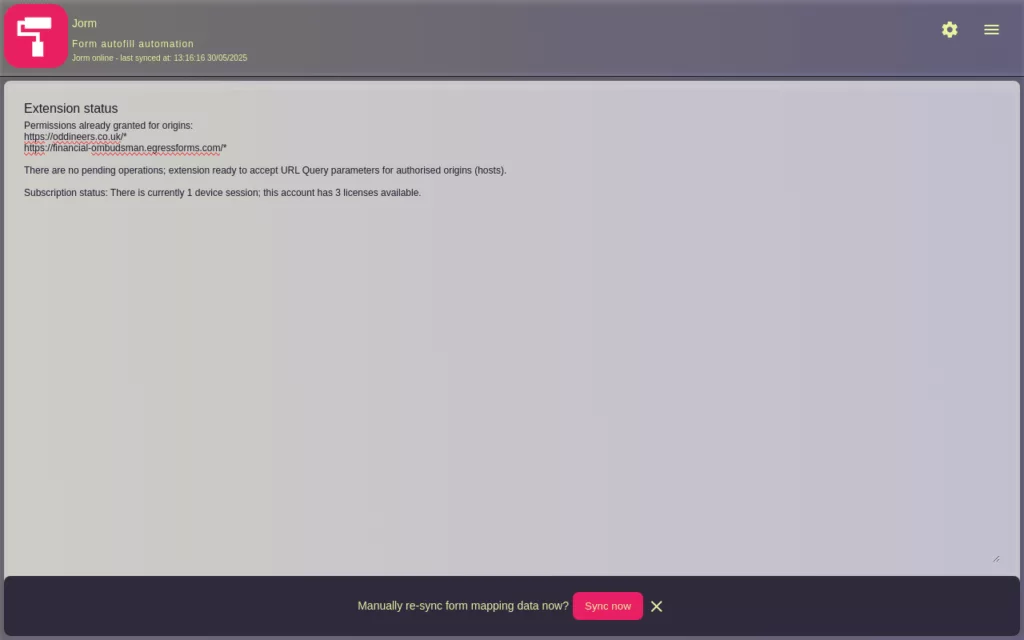
scriptingoptional_host_permissions matches from webNavigation. The injected script perform the autofill task.webNavigationstoragecontextMenustabsalarmsnotificationshost and/or optional_host_permissionsuserDomains.All origins require that the user approve them through user interaction; where approval is required the extension will trigger a notification to inform the user where that user interaction is required.
There are several significant changes to September’s 2024 release:
optional_host_permissions` to ensure the user approves the new origin. The extension will notify the user through various means.
If you do have any issues please reach out to us via our contact page or existing clients may contact our support desk and we will try to remedy your issue.
Please see our Jorm Product Support page for more detailed help and support.
Google Chrome and the Chrome Web logo are trademarks of Google LLC.
Your use of the application: Jorm Form Automation from Oddineers Ltd. is subject to the following: Terms & Conditions and Privacy Policy.