Public release for our Jorm Form Automation service
descriptionStandardIntroducing Jorm Form Automation our Chrome extension and Indexing service which provides functionality for automating web form filling.
Continue readingIntroducing Jorm Form Automation our Chrome extension and Indexing service which provides functionality for automating web form filling.
Continue reading
This release brings the Rhea PWA Client to Android; replacing the previous Android implementation with a bubblewrap variant derived from our PWA 0.9.7 release.
This release adds improvements to styles relating to STT/TTS functions; PWA caching improvements and improved handling for notification access.
Continue readingJorm is simple to setup; once you have subscribed a welcome pack is sent to the account owner.
Use the portal to generate/revoke authentication tokens; submit new urls and check account and indexing details.
New URL submissions would work as follows:
Admins/developers can use the form data tools to preview form data, visual and generate URL templates and additionally submit urls for indexing.
To use the Jorm Form Automation service you require an active subscription also known as a license; a license is required for each user (human or AI) that intends to utilise the Chrome extension.
The Jorm administrator portal is used to several operations:
URLs are submitted for indexing to generate form data maps; once a URL has been submitted it is actively monitored for changes and any detected changes are periodically synced to extension users under your account.
Along with ability to generate authentication tokens; you can also copy provisioning URLs. These provisioning URLs can be sent to your organisations Jorm extension users. Who can use the link to activate the and store the authentication token.
The provisioning link works by intercepting https://oddineers.co.uk/provisioning?token<some-token> you must already have the extension installed and enabled to allow provisioning to work.
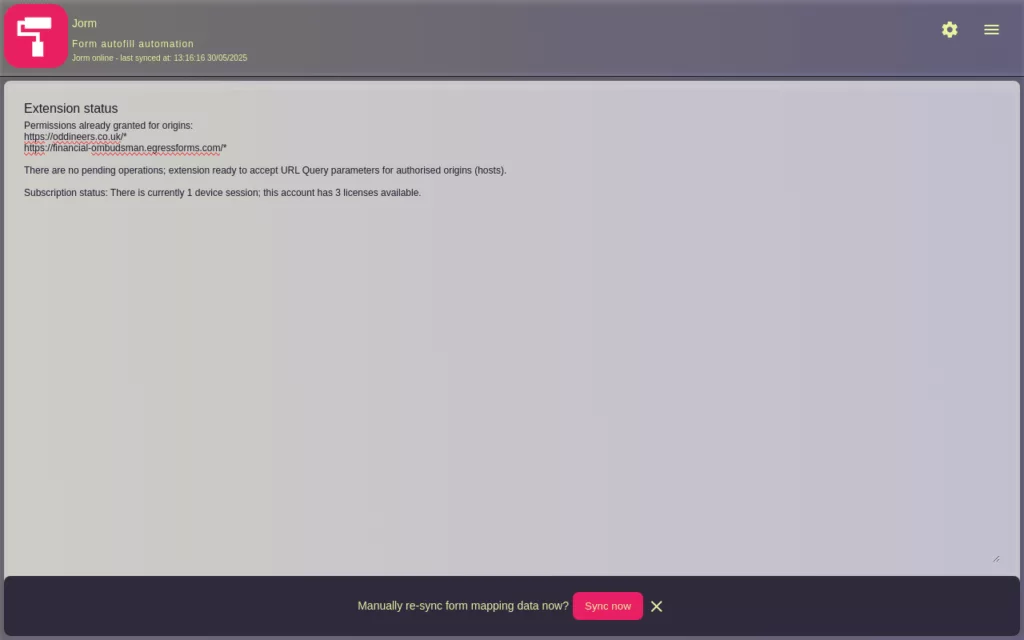
Once authenticated the core form autofill functionality is automatic based on URLs (also known as origins) linked to your account.
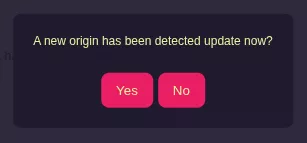
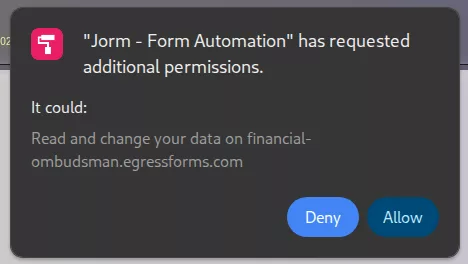
There are a several instances that require user interaction* these are:
Once origin access is approved; the extensions actions are automatic. These automatic actions include:
* Google’s Extension manifest v3 changes introduce tighter controls on permissions; read more about permissions used by Jorm Form Automation and there usage.
Your use of the application: Jorm Form Automation from Oddineers Ltd. is subject to the following: Terms & Conditions and Privacy Policy.
On this page you will find help and support information for Jorm Form automation.
Below we have included information we think you may find helpful and/or to reference should you experience any issues (we hope not). If you continue to have any issues please reach out to us via our contact page or contact our support desk and we will try to remedy your issue.
Other related pages:
This extension is predominately aimed at professionals/IT departments where data entry via web submission using forms is common. This extension makes it possible to automate aspects of these submissions.
We respect your privacy and your data; we do not collect nor transmit any data parsed or autofilled by this extension. We work with a variety of clients including law firms and medical practices with strict requirements.
Most HTML forms are supported but there will/maybe instances where we are unable to automatically index urls; the reasons may include:
kMaxURLDisplayChars) although a 1kB limit is used on VR platforms. Source* In these instances; where our crawler efforts have failed we may be able to manually intervene and generate an mapping.
We are also exploring adding the option for account owners to manually submit HTML for forms behind paywalls/authentication to workaround point 1. Planned in release in 1.3.0.
Important: most forms do not support or make available form fields as query parameters unless designed to. If you try to access/post data to URL’s prepared by this extension and service without using the extension you will be posting that data to the third-party server. You may encounter:
413 Entity Too Largein response.
Where the Jorm extension would typical intercept the request and extract the query parameters.
We monitor and track the outcomes from all indexing requesting to improve our indexing service further.
A subscription is required to use this extension; your subscription is used for various operations. On sign-up we email you credentials to access the Jorm Admin Portal used to manage aspects of your account including:
Our Jorm Administrator Portal uses WordPress to provide an admin portal; with exception to your account email no data is stored in the WordPress installation. Instead all custom components you see make use of the Jorm’s API to retrieve data from your account and make any actions. Read more in our terms and conditions.
Here is a breakdown on extension permissions how we use them:
scriptingoptional_host_permissions matches from webNavigation. The injected script perform the autofill task.webNavigationstoragecontextMenustabsalarmsnotificationshost and/or optional_host_permissionshttps://*.oddineers.co.uk/*.optional_host_permissionsuserDomains.All origins require that the user approve them through user interaction; where approval is required the extension will trigger a notification to inform the user where that user interaction is required.
Under certain scenarios the extension may display small and short badge message atop the extension icon; these badges and their error message or code are intended to quickly inform the user that there is a issue.
Administrators can generate tokens for use with the Chrome extension from the Jorm Admin Portal.
Administrators can choose to:
Which ever option is used; you can send a provisioning URL to users to log them to the Jorm Extension (template available under admin Portal).
Device session work by assigning unique ID’s to connecting clients. These sessions have a lifetime (currently 336 hours or 14 days): If a device ID hasn’t be seen for 336 hours it is automatically cleared freeing the token for use on another device.
Connecting clients are those coming from the Chrome extension; each authenticated instance represents a session which consumes a license.
Example scenario: you have 2 x licenses on your account; you have configured 2 x initial devices and come to install/activate a third device. The third device will require an additional license. The extension will indicate if you need additional licenses as well as session count information. The same information can be found under the admin portal.
Account resets can be requested for consideration via support. These resets are not intended to work around user/device licensing and are considered for certain situations such as internal infrastructure upgrades, etc.
There are several significant changes to September’s 2024 preview release:
optional_host_permissions` to ensure the user approves the new origin. The extension will notify the user through various means.
Google Chrome and the Chrome Web logo are trademarks of Google LLC.
Your use of the application: Jorm Form Automation from Oddineers Ltd. is subject to the following: Terms & Conditions and Privacy Policy.

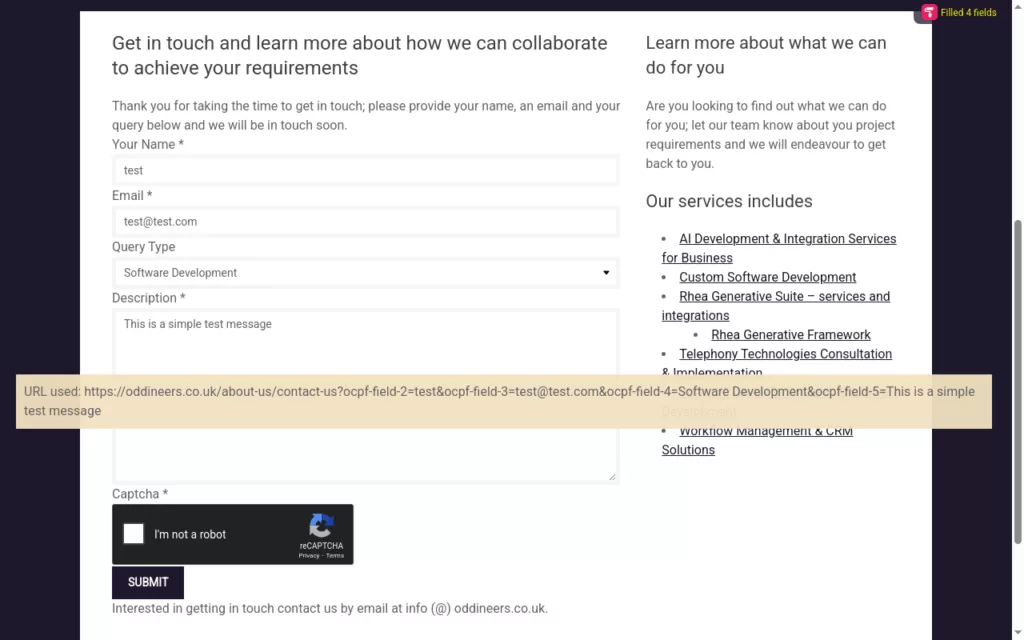
Jorm Form Automation provides a method to supply field ID’s taken from HTML forms as URL query parameters. These URL query parameters are then extracted by Jorm and used to populate matching fields by each ID.
Jorm intercepts requests made to a user approved domain and that contain any URL query parameters; these values are stored in local storage under a cache key which is added to the final url; and used to trigger the form fill.
Ideal for CRM integrations; where an action (such as a button or link) when clicked takes the user to a website. With Jorm that weblink could include various URI parameters representing form fields to autofill data when visited by the CRM user.
Collaborating with our legal clients; a key area that stood out as a bottleneck was form data entry made by members of staff. In some case these members of staff would copy and paste data from over 200+ fields from their own internal CRM to an external service/website forms such as the Complaint form by the Financial Ombudsman Service (note: this forms has over 300 fields.)
Staff typically submitted between 1-3 of these submissions a day. With the use of Jorm they were able to take that per-staff submission value to around 20+ and work through their backlog.
Note that these example scenarios omit specifics such as; are case/files ready for submission etc. Requirements specific to the business deeming a file ready etc. There was an existing back log of work pending submission.
In practice the key take here is this saves users valuable time by auto-filling mapped data. It intended for use by professionals.
Designed specifically to add a layer of automation to third-party services that may lack support for other integration such as API’s etc.
Ideal for CRM integrations; where an action (such as a button or link) when clicked takes the user to a website. With Jorm that weblink could include various URI parameters representing form fields to autofill data when visited by the CRM user.
Quickly auto-fill forms using data within your CRM/internal systems
Or, login to manage your account
Payments are processed by Stripe
* A active subscription is required to use the Chrome Extension
Jorm Form Automation provides a method to supply field ID’s taken from HTML forms as URL query parameters. These URL query parameters are then extracted by Jorm and used to populate matching fields by each ID.
Jorm intercepts requests made to a user approved domain and that contain any URL query parameters; these values are stored in local storage under a cache key which is added to the final url; and used to trigger the form fill. Example: https://oddineers.co.uk/test-form?cacheKey=m0mll3s3
Jorm Form Automation has been built to enable organisations to build automation’s against services that utilise html based forms for data submission; these are common and are found everywhere from contact forms, order forms, case submissions, etc. They can vary in size from several fields to several hundred; in the latter case larger forms that become part of a businesses day to day operations or workflow take time for staff to complete. Often the data they are submitting is already present in their organisations internal systems and they are copy data from one system to another external system.
Jorm aims to change that by providing a way automate the data filling aspect by simply providing a web link to the form from within your CRM/Intranet or other systems. This link once populated with our URL query parameter template when clicked will open the website to the form and autofill any mapped data.
It does not complete ReCaptcha’s nor submit any forms; agents/case handlers must complete the ReCaptcha to enable submission after performing their own quality checks.
* A subscription is required to use the Chrome Extension
We respect your privacy and your data; we do not collect nor transmit any data submitted to, parsed by or auto-filled by this extension.
Read more in our privacy policy or reach out to us if you have any further questions.
Below we have included several important points from our support page that we think you will find helpful. If you continue to have any issues please reach out to us via our contact page or contact our support desk and we will try to remedy your issue.
Please see our Jorm Product Support page for more detailed help and support.
This extension is predominately aimed at professionals/IT departments where data entry via web submission using forms is common. This extension makes it possible to automate aspects of these submissions.
A subscription is required to use this extension; your subscription is used for various operations. On sign-up we email you credentials to access the Jorm Admin Portal used to manage aspects of your account including:
Here is a breakdown on extension permissions how we use them:
scriptingoptional_host_permissions matches from webNavigation. The injected script perform the autofill task.webNavigationstoragecontextMenustabsalarmsnotificationshost and/or optional_host_permissionsuserDomains.All origins require that the user approve them through user interaction; where approval is required the extension will trigger a notification to inform the user where that user interaction is required.
There are several significant changes to September’s 2024 release:
optional_host_permissions` to ensure the user approves the new origin. The extension will notify the user through various means.
If you do have any issues please reach out to us via our contact page or existing clients may contact our support desk and we will try to remedy your issue.
Please see our Jorm Product Support page for more detailed help and support.
Google Chrome and the Chrome Web logo are trademarks of Google LLC.
Your use of the application: Jorm Form Automation from Oddineers Ltd. is subject to the following: Terms & Conditions and Privacy Policy.
By downloading or using the app, these terms will automatically apply to you – you should make sure therefore that you read them carefully before using the app.
You’re not allowed to copy, or modify the app, any part of the app, or our trademarks in any way. You’re not allowed to attempt to extract the source code of the app, and you also shouldn’t try to translate the app into other languages or make derivative versions. The app itself, and all the trade marks, copyright, database rights and other intellectual property rights related to it, still belong to Oddineers Ltd..
The app is licensed, not sold, to you for use strictly in accordance with these terms. The use of the app requires a valid subscription. Subscription payments are securely processed via Stripe, a trusted third-party payment processor. We do not collect or store your payment details directly. Please review Stripe’s Privacy Policy and Terms of Service before subscribing.
We use WordPress admin backend to host the Jorm Client Portal dashboard; with the exception of the account owners email (used to create the portal user and password). We do not store any data under this. Our portal plugin talks to Jorm’s API server to retrieve and perform account requests.
You promise not to use the app in any way that causes, or may cause, damage to the app or impairment of the availability or accessibility of the app; or in any way which is unlawful, illegal, fraudulent or harmful, or in connection with any unlawful, illegal, fraudulent or harmful purpose or activity.
You also agree:
By using the app, you acknowledge and agree that we collect and process personal data as described in our Privacy Policy. We take your privacy seriously and implement appropriate technical and organisational measures to protect your information.
Payment processing is handled by Stripe. We do not have access to or store your payment information. You should review Stripe’s Privacy Policy and Terms to understand how your payment data is protected.
The app may use third-party services for payment processing, analytics, or other functionalities. These third parties have their own terms and privacy policies which you should review. We are not responsible for their practices.
You confirm that you are at least 16 years old or have obtained parental or guardian consent to use the app. The app is not specifically intended for use by children under this age.
We retain subscription and account data only as long as necessary to provide the service and comply with legal obligations. Upon cancellation or termination of your subscription, your access will end, and your data will be retained or deleted as described in our Privacy Policy.
You can terminate your account with Oddineers Ltd. at any time; you can manage your account from the Jorm Portal Dashboard or managing billing specifically from your Stripe account.
By using our service you agree that we may, at our sole discretion, suspend or terminate your access to all or part of our service including but not limited to our: extension, website and other related resources with or without notice and for any reason, including, without limitation, breach of this User Agreement. Any suspected illegal, fraudulent or abusive activity may be grounds for terminating your service and if appropriate may be referred to law enforcement authorities. Upon suspension or termination, your right to use the services and resources we provide will immediately cease, additionally we reserve the right to remove or delete any information that you may have on file with us, including any account or login information.
Should you wish to appeal an account closure you can write to us at oddineers.co.uk/about-us/contact-us/. Please ensure you are using the email address of the account that was closed and the reasons why you think we shouldn’t have closed it. We will review it and make a decision.
We may update these Terms and Conditions from time to time. We will notify you of any material changes by posting the new Terms on this page and, where appropriate, via email. Continued use of the app after changes constitutes acceptance of the updated terms.
Similarly, our Privacy Policy may be updated periodically. Please review it regularly to stay informed about how we protect your data.
If you have any questions about these Terms and Conditions, please contact us at: info.apps@oddineers.co.uk
Last updated: 24/05/2025
Thank you for using Jorm Form Automation built by Oddineers Ltd. (“we,” “us,” or “our”). We are committed to protecting your personal information and your right to privacy.
If you choose to use our Service, then you agree to the collection and use of information in relation to this policy. The Personal Information that we collect is used for providing and improving the Service. We will not use or share your information with anyone except as described in this Privacy Policy.
When you use our Chrome extension (“Service”), we collect certain information to provide, maintain, and improve the Service:
The application uses third party services that may collect information used to identify you; details can be found below.
We use your information to:
Our Service requires a subscription for access. To manage these subscriptions and process payments, we use Stripe, a trusted third-party payment processor. We do not collect or store your payment information directly; all payment processing is securely handled by Stripe according to their Privacy Policy.
When you subscribe, we collect and store information related to your subscription status (such as plan type and renewal dates) to provide and manage your access to the Service. This subscription data helps us ensure that only paying users can use the extension and allows us to improve our offerings.
We use the email you signed up with to generate an account for the Jorm Client Portal and email these details to you.
Please note that your billing information and payment details are securely processed and stored solely by Stripe. We recommend reviewing Stripe’s privacy practices to understand how your payment data is protected.
We do not sell or rent your personal information to third parties.
We may share your information with:
We do not use cookies or tracking technologies.
We retain your personal data only as long as necessary to provide the Service and fulfil legal obligations. Subscription data is retained for the duration of your subscription and as needed afterwards for accounting and legal purposes.
We do collect any other data.
We take the security of your information seriously and employ industry-standard measures to protect it, including:
While we endeavour to protect your data, please be aware that no method of electronic transmission or storage is 100% secure.
This service is intended for users aged 16 and over, including individuals, businesses, and professionals. We do not knowingly collect personal information from anyone under the age of 16. If we become aware that we have inadvertently collected personal data from a person under 16, we will promptly delete that information.
Depending on your location, you may have rights to access, correct, or delete your personal information. To exercise these rights or for any questions about your data, please contact us at info.apps@oddineers.co.uk.
Any information you provide to us will either be emailed directly to us or may be stored on a secure server located near Dublin within the Republic of Ireland. We use a trusted third party website and hosting provider (AWS) to facilitate the running and management of this website. AWS meet high data protection and security standards and are bound by contract to keep any information they process on our behalf confidential. Any data that may be collected through this website that AWS process, is kept secure and only processed in the manner we instruct them to. AWS cannot access, provide, rectify or delete any data that they store on our behalf without permission.
We may update this Privacy Policy from time to time. We will notify you of any material changes by posting the new Privacy Policy on this page and, if appropriate, via email.
If you have any questions or suggestions about our Privacy Policy, do not hesitate to contact us at info.apps@oddineers.co.uk.
Source release for the Rhea Generative Client. Released under a Apache License 2.0.
Continue reading
Introduces support for Rhea Speech Services; a self-hosted API service which provides speech-to-text and text-to-speech functionality. The Rhea Client reworks the previous browsers dependant TTS & STT functionality to demonstrate our custom solutions.
Continue reading